TSP Contribution Allocation Excel – Free Template (2026)
0
Free download
Track HSA contributions, qualified expenses, reimbursements, and IRS limits with summary tabs and transaction logs.


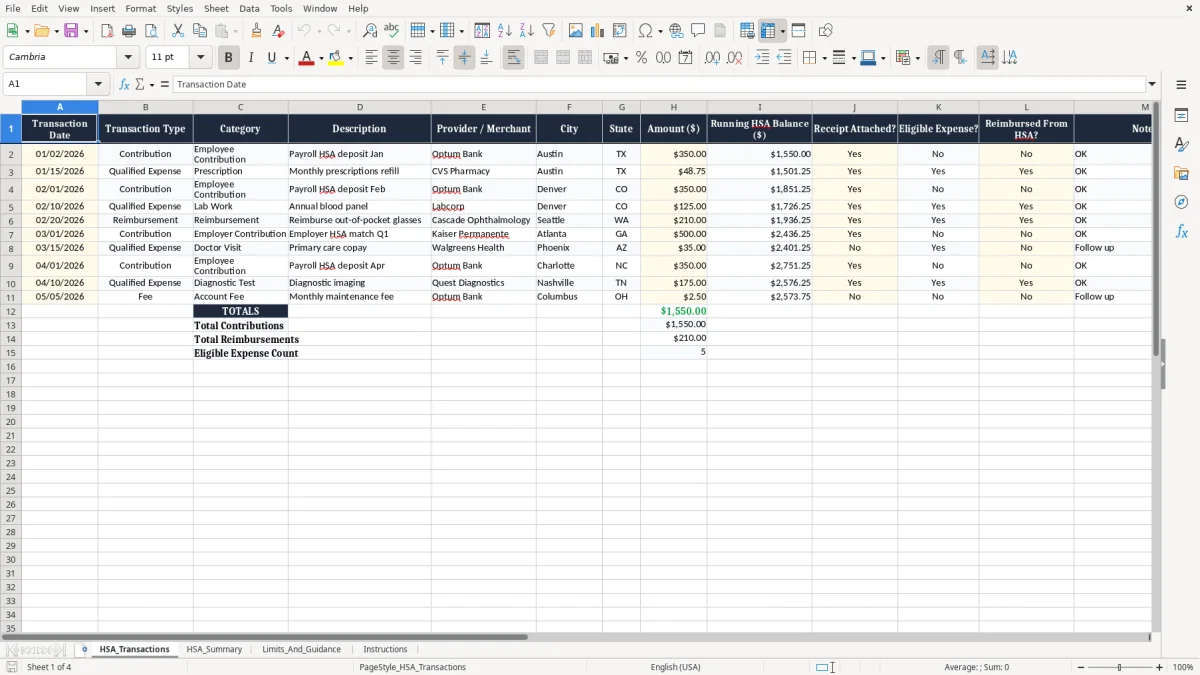
This HSA contribution and reimbursement tracker Excel spreadsheet helps you log deposits, qualified medical expenses, and reimbursements in one place. It includes a transaction register, a summary tab, and a limits-and-guidance tab so you can see your HSA balance and spending at a glance.
The workbook is built for anyone who uses a Health Savings Account: an employee with payroll contributions, a household paying out-of-pocket medical bills, or a bookkeeper tracking reimbursements during the year. The layout is simple enough for monthly use, but detailed enough to support clean records at tax time.
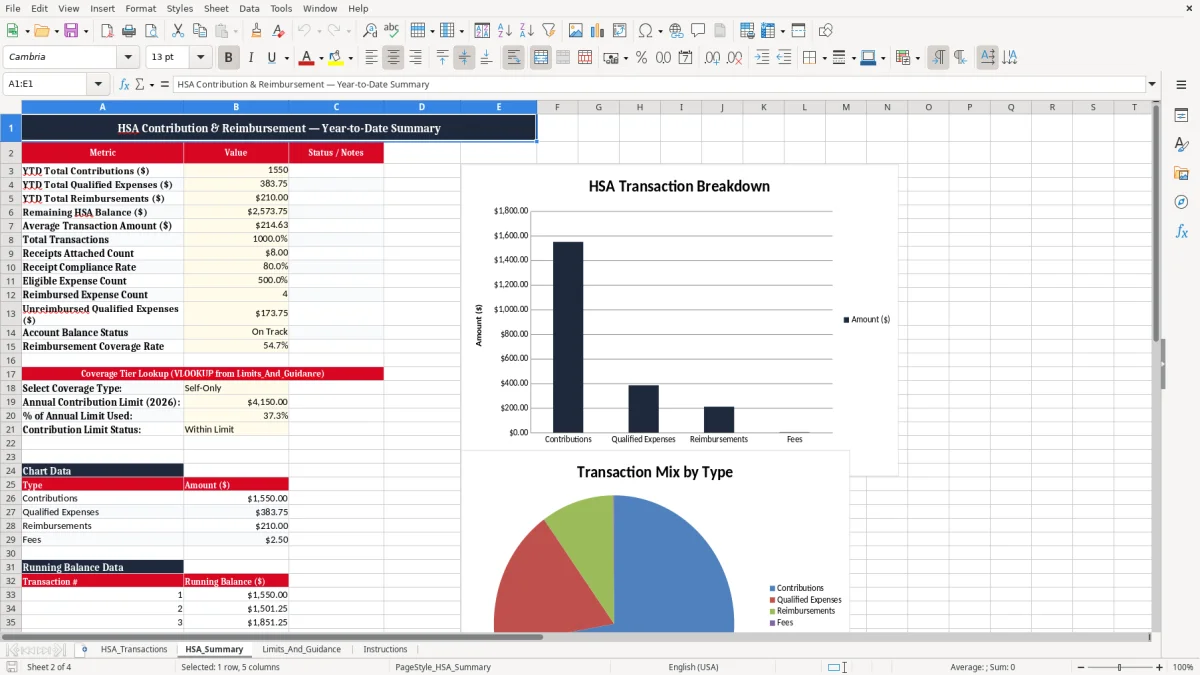
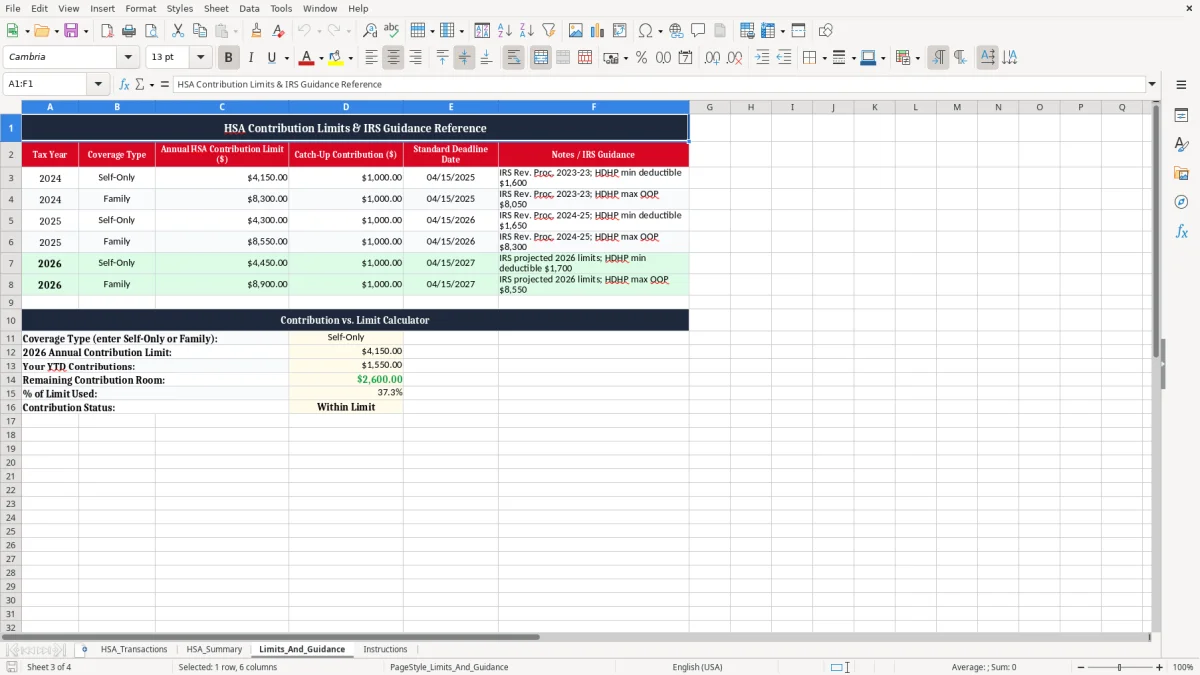
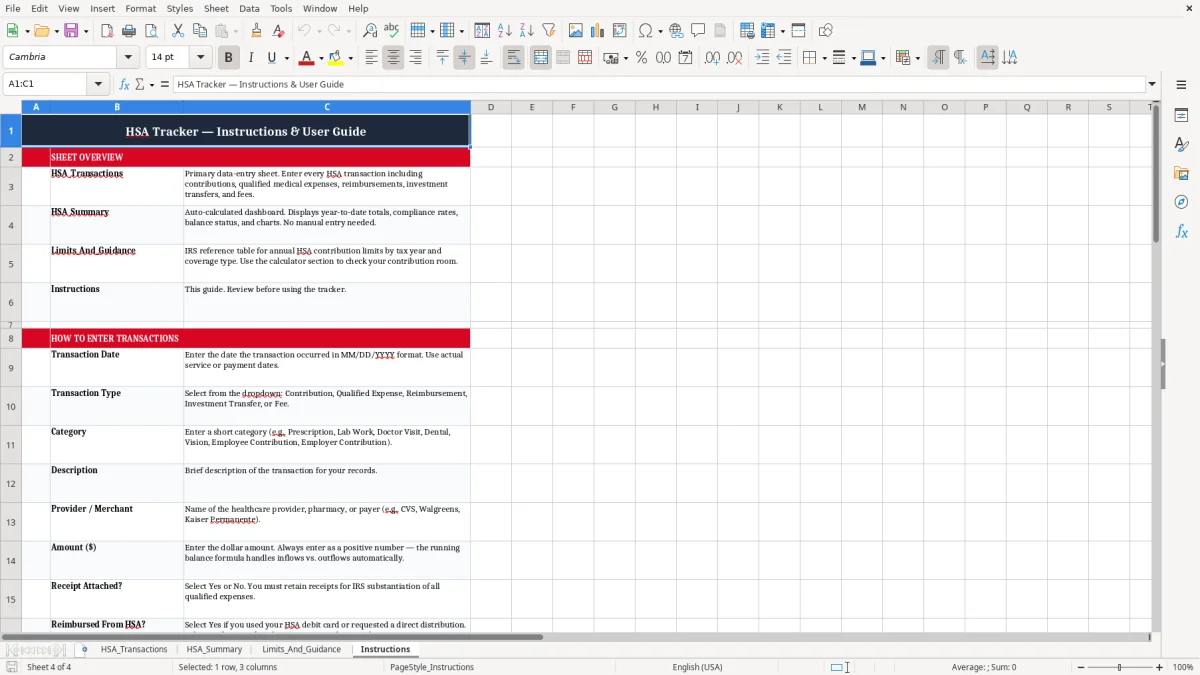
Image 1 shows the HSA_Transactions tab, where you enter each contribution or medical expense. Image 2 shows the HSA_Summary tab, and image 3 and image 4 cover the limits and instructions tabs.
It records HSA contributions, qualified medical expenses, reimbursements, receipt status, and running balance. That gives you one clean file instead of separate notes for each bank deposit and pharmacy bill.
Yes. A family account often has more receipts and more reimbursement timing issues, so the transaction log is useful when you are tracking a $48.75 prescription one week and a $210 eyewear claim the next.
Yes. If you want the reimbursement to be defensible, keep the receipt, the merchant name, the date, and the amount with the transaction record. That is much easier than trying to rebuild the evidence later from a credit card statement.
The workbook includes HSA_Transactions, HSA_Summary, Limits_And_Guidance, and Instructions. The first tab is the main entry log, and the others help you review totals and reference the rules.
Update it at least once a week, and ideally the same day you get a receipt or see an HSA deposit. A 5-minute routine keeps the balance current and prevents duplicate reimbursements.
Yes. It gives you a clear record of deposits, medical spending, and reimbursements so you can answer questions quickly when you review your tax file for Form 1040 support.