TSP Contribution Allocation Excel – Free Template (2026)
0
Free download
Estimate college aid data for 2026-2027 with Student Data, EFC Calculation, Dashboard, and Instructions tabs for planning FAFSA costs.


This FAFSA expected family contribution worksheet is an Excel planning tool for organizing student and family finances, estimating an expected contribution, and comparing college-cost information. It contains Student Data, EFC Calculation, Dashboard, and Instructions tabs for reviewing academic-year inputs and results.
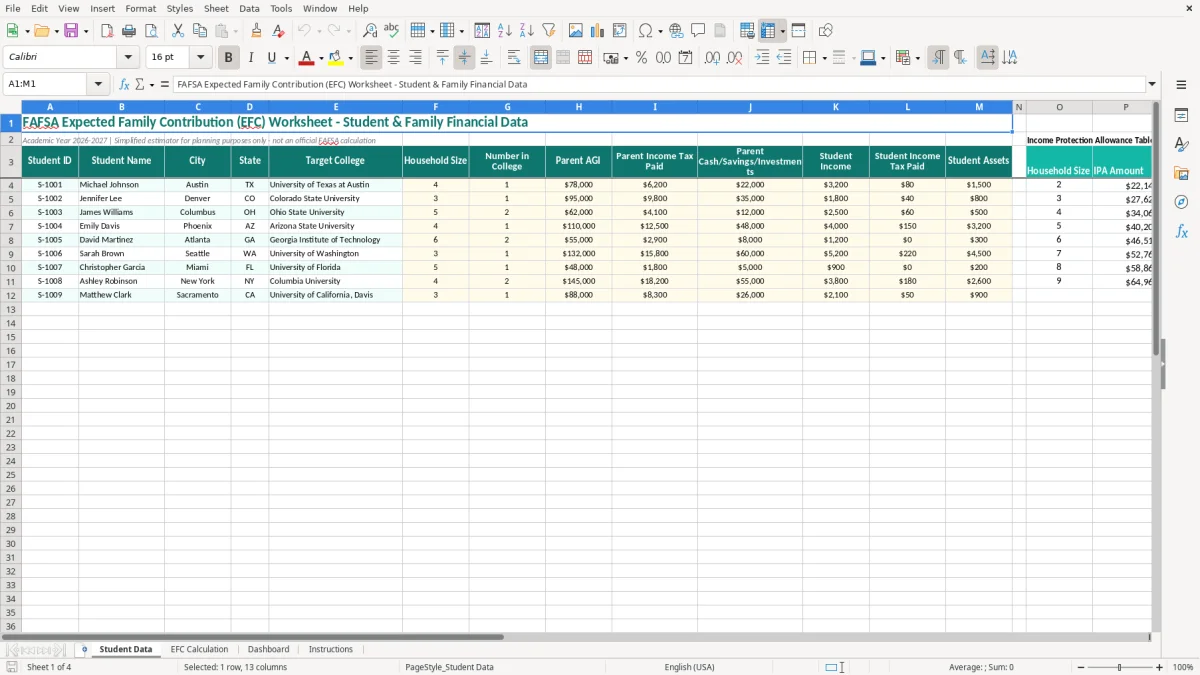
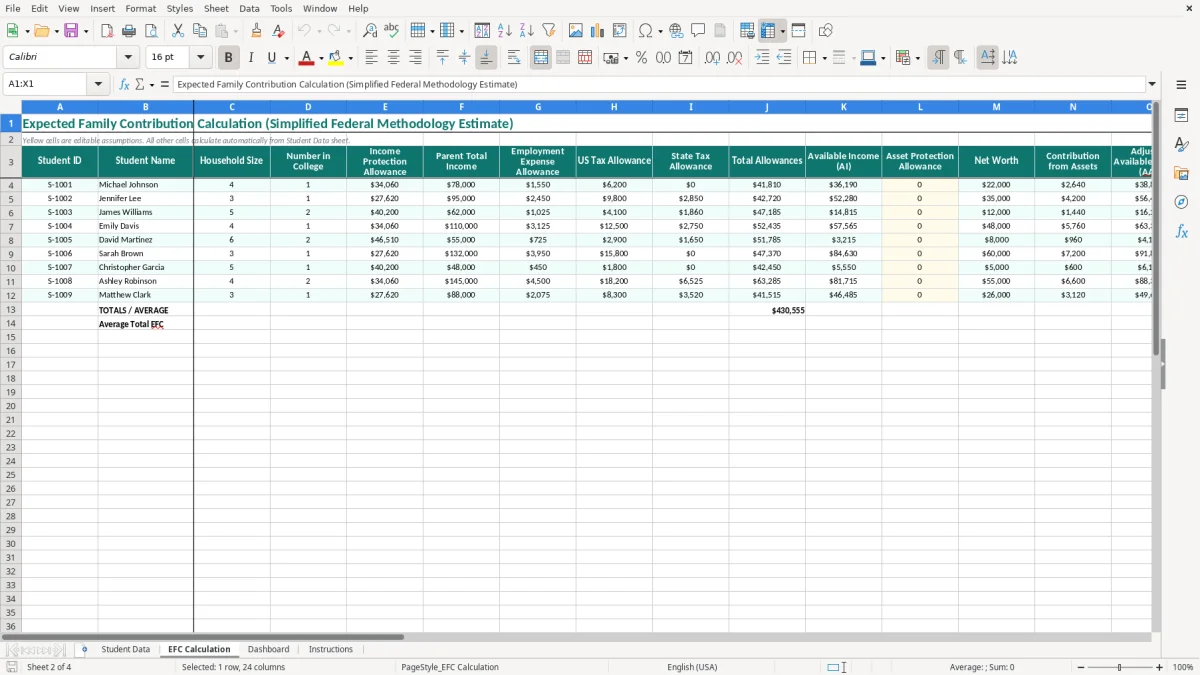
Enter one student per row on the Student Data tab, including household size, number in college, parent income, taxes, assets, and student finances. Image 1 shows the teal input table; image 2 presents the calculation area, while the Dashboard and Instructions tabs help you review and interpret the worksheet.
A parent completing financial-aid research in the fall often needs a quick way to compare several students, not just a blank FAFSA screen. This workbook is useful for a household with two children approaching college, a high-school counselor organizing planning examples, or a college-funding adviser reviewing a family’s numbers before the official application is submitted.
For example, a family with household size 5, two students in college, parent AGI of $62,000, $4,100 of parent income tax paid, and $12,000 in parent cash and investments can enter those figures in one row. The Student Data tab also records the target college, city, and state, which makes a later comparison more useful than keeping the figures in an email or notebook.
The best time to use the file is before you file or correct the official FAFSA for the 2026-2027 academic year. You can test whether a changed assumption, such as a corrected tax amount or a different asset balance, materially changes the workbook’s planning result. Treat that result as a conversation starter about grants, scholarships, loans, and the college’s published cost of attendance.
One row represents one student record. A household with a $78,000 parent AGI, $6,200 of parent income tax paid, $22,000 in parent cash and investments, and $3,200 of student income should not overwrite another student’s row; separate rows preserve the comparison. Image 1 shows the wide table from Student ID through Student Assets, so you can scan whether every required field has been completed.
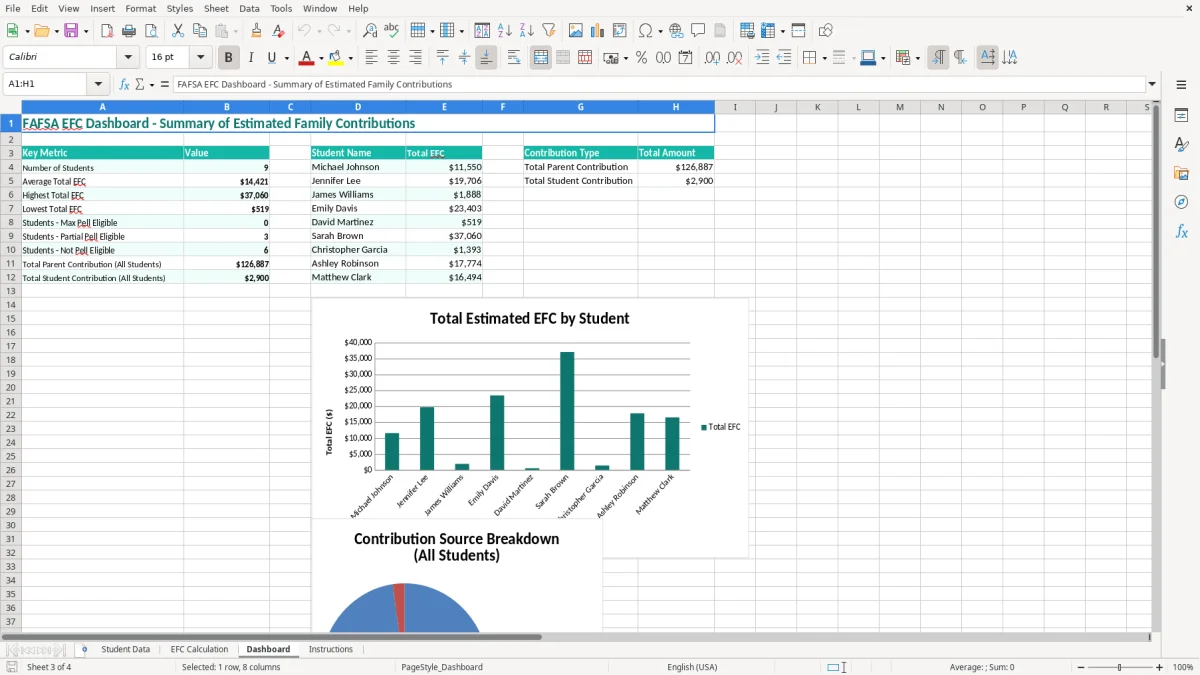
Use the EFC Calculation tab and Dashboard after entering the data, then discuss the estimate alongside each college’s net-price information. A $5,000 difference in estimated family contribution can change how much of a $30,000 annual gap you need to cover, but the college—not this worksheet—determines the actual aid package.
The federal aid terminology changed: the FAFSA calculation now produces a Student Aid Index (SAI), not an official EFC. This workbook keeps the familiar EFC wording in its title and uses a simplified estimate for planning, so you should not present its output as the number calculated by the U.S. Department of Education or a school’s financial-aid office.
The official FAFSA uses information from the required reporting period and may rely on federal tax data transferred through the IRS. Parent and student answers can also depend on dependency status, marital status, family size, tax filing details, and assets that receive specific treatment. A manually entered Parent AGI of $78,000 is therefore an input for this file, not proof that the official FAFSA will use exactly the same figure.
Use the tax return, W-2 forms, bank statements, brokerage statements, and other source records when completing the workbook. If Parent Income Tax Paid is $6,200, enter the tax amount requested by the worksheet’s instructions rather than substituting federal withholding, total payroll taxes, or a rounded estimate. That distinction matters because tax paid and tax withheld are not interchangeable.
The federal application may require contributor information and consent, and a student’s eligibility can be affected by household and dependency answers that are not represented by the 13 visible Student Data columns. The workbook includes Household Size and Number in College, but it is not a complete federal eligibility questionnaire. Do not use it to determine a Pell Grant, subsidized loan amount, or final institutional award.
Submit the FAFSA through the official Federal Student Aid process and follow the school’s deadlines for institutional aid. Keep a copy of the submitted FAFSA and any correction confirmation; the workbook is best used as a pre-filing check. If the Dashboard estimate differs from the FAFSA Submission Summary, use the official summary as the controlling record and investigate the input or formula difference.
The most expensive error is treating an estimate as an award. A family may see a low workbook result, assume a college will cover the remaining $18,000, and then discover that the school’s grant budget, merit policy, or cost of attendance produces a much larger payment. The spreadsheet can organize inputs, but it cannot promise eligibility or funding.
Parents often copy federal withholding from a W-2 into Parent Income Tax Paid, or enter total income taxes from a joint return without confirming which figure the FAFSA requests. If the correct amount is $6,200 but $9,800 is entered, the estimate may shift enough to distort a family’s college comparison. This is a data-definition problem, not an Excel formatting problem.
A checking balance may be copied into both Parent Cash/Savings/Investments and another asset field, while a student’s $1,500 account is forgotten in Student Assets. On the other hand, families sometimes include a primary residence or retirement account even when the official FAFSA treatment differs. A $20,000 duplicate entry can make a planning estimate look materially worse and lead a student to reject a school unnecessarily.
Household Size and Number in College are easy to leave unchanged after a sibling graduates or a student postpones enrollment. If a family of 4 leaves Number in College at 2 when only 1 person will attend in 2026-2027, every comparison built from that row may be misleading. Review those two fields whenever you copy a prior-year file.
Keeping several workbooks with similar names can cause a parent to compare a corrected $95,000 AGI with an older $78,000 entry. Use a filename containing the student and date, such as `Jordan-FAFSA-planning-07-18-2026.xlsx`, and keep the source statements with the same review folder. That small control is cheaper than rebuilding a college budget after an incorrect assumption drives the decision.
Use the workbook at a fixed point in your aid-planning routine rather than only when a deadline is close. A practical schedule is one review when tax information is available, a second review before submitting the 2026-2027 FAFSA, and a final review when the FAFSA Submission Summary arrives.
Start with source documents on the desk and enter one student row from left to right. Do not paste an entire tax return into the sheet; the visible fields are Student ID, Student Name, City, State, Target College, Household Size, Number in College, Parent AGI, Parent Income Tax Paid, Parent Cash/Savings/Investments, Student Income, Student Income Tax Paid, and Student Assets.
When comparing three colleges, keep the student’s financial row unchanged and record each college in a separate planning copy or comparison note. A family comparing a $28,000 annual net price at College A with a $34,000 price at College B is looking at a $6,000 yearly difference, or $24,000 over four years before future price changes. The Dashboard helps you review the entered records, but it does not replace a net-price calculator.
This file works well for a household or a small counseling list. Once you manage more than 50 students, need contributor-document tracking, or must preserve an audit trail for many corrections, move the process to a controlled student-information or financial-aid system. Excel remains useful for an export and reasonableness check, but manual copying across dozens of rows becomes a greater risk than the time it saves.
No. The workbook is a simplified planning estimator labeled for the 2026-2027 academic year. The official FAFSA and the Federal Student Aid process determine the student’s actual Student Aid Index, eligibility, and award information.
Enter Student ID, Student Name, City, State, Target College, Household Size, Number in College, Parent AGI, Parent Income Tax Paid, Parent Cash/Savings/Investments, Student Income, Student Income Tax Paid, and Student Assets. Image 1 shows these 13 columns in the entry table.
EFC is the familiar term used in the workbook’s title, but the federal FAFSA calculation uses the Student Aid Index, or SAI. Use this file for organizing figures and comparing planning scenarios, not for reporting an official EFC or SAI.
Yes. Enter one student per row and assign a distinct Student ID, such as S-1001 and S-1002. Separate rows let you compare names, target colleges, household information, and financial inputs without overwriting another student’s record.
Use the official FAFSA Submission Summary as the controlling record. Recheck the workbook’s tax amounts, household size, number in college, parent assets, student income, and student assets, then compare the corrected inputs with your source documents.
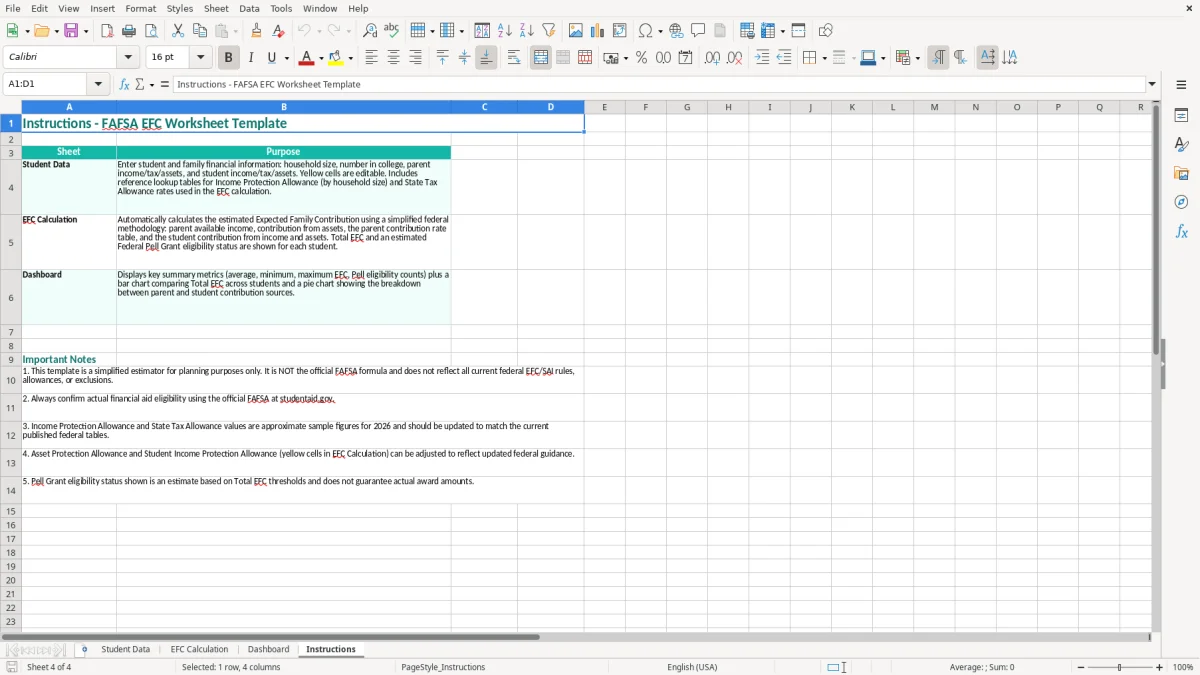
The workbook contains four tabs: Student Data, EFC Calculation, Dashboard, and Instructions. Student Data is the main entry table, EFC Calculation contains the simplified estimate, Dashboard summarizes the results, and Instructions explains the workbook’s intended use and limitations.