TSP Contribution Allocation Excel – Free Template (2026)
0
Free download
Track charitable gifts, receipts, deadlines, donor details, and deductible amounts with this practical charitable donation Excel template.


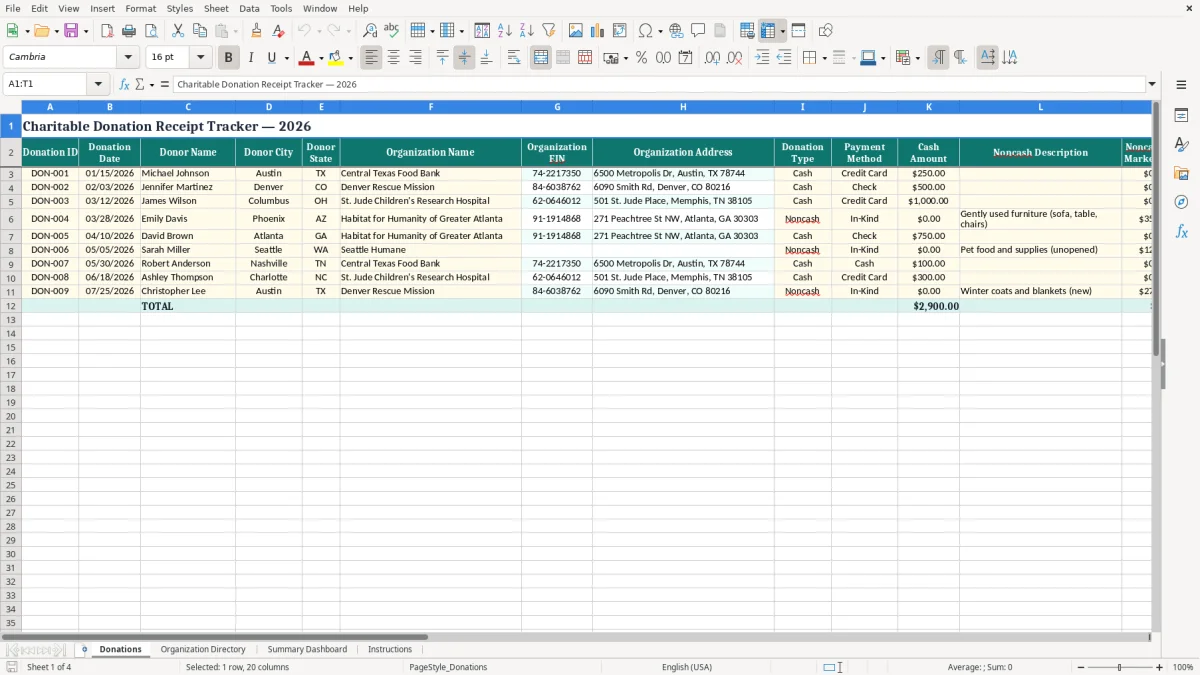
Organize charitable contributions throughout the year with a practical Excel spreadsheet for donation records and receipts. The template helps you document donation dates, donor and organization details, cash and noncash gifts, payment methods, receipt status, receipt deadlines, deductible amounts, and links to supporting files.
Use one row for each contribution so you can quickly review your giving history, locate acknowledgment documents, and prepare organized records for tax discussions. It is suitable for individuals, families, tax preparers, and small organizations that want a consistent donation tracking system without relying on scattered emails, paper files, or disconnected notes.
Open the Donations sheet and enter one contribution per row. Start with a unique Donation ID, donation date, donor information, and the receiving organization's name, EIN, and address. Select the donation type and payment method, then enter the cash amount or describe the noncash contribution and its fair market value.
Record the total donation value and the amount you expect to claim as deductible based on your records and professional tax guidance. Update the receipt status when documentation is requested or received, add the receipt date, and note the receipt deadline. In the Receipt File Name/Link column, enter a file name, folder path, or cloud-storage link to the acknowledgment letter, receipt, valuation document, or payment confirmation.
Use the Notes column for campaign names, recurring-gift information, follow-up reminders, or other useful context. Sort and filter the worksheet by donation date, organization, status, or deductible amount when reviewing records. Save a backup of the workbook with the related documents in a secure location, and consult a qualified tax professional for questions about eligibility, valuation, or documentation requirements.
A charitable donation receipt tracker provides a reliable home for information that is often spread across bank statements, confirmation emails, paper acknowledgments, and cloud folders. Recording each contribution as it happens reduces the chance of forgetting a small gift or losing details needed later.
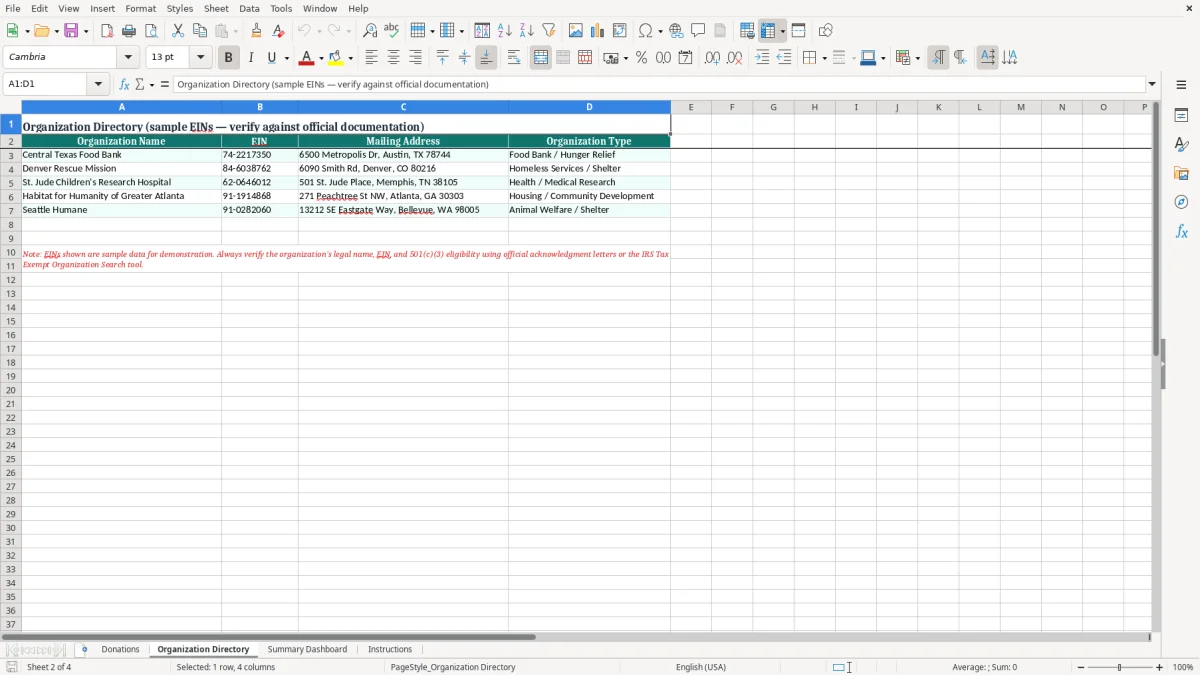
The spreadsheet includes space for the donation date, donor name, organization name, organization EIN, payment method, amount, receipt status, and supporting-document link. That structure makes it easier to review your giving history by date or recipient and identify records that still need attention.
A tracker is especially useful when you make recurring donations, support several organizations, or contribute different types of property during the year. Cash gifts and noncash contributions can require different descriptions and supporting records, so keeping them in separate fields creates a clearer audit trail.
The template also includes receipt deadlines and receipt dates, allowing you to follow up while the transaction is still easy to remember. Notes can capture campaign details, recurring-gift information, or explanations that may help you or your tax preparer understand a record.
This Excel format is flexible, familiar, and easy to customize. You can add filters, sort contributions, save a backup, and connect each row to a digital receipt.
It is not a replacement for official acknowledgments or professional tax advice, but it can make personal donation recordkeeping more consistent and less stressful. By maintaining the spreadsheet throughout the year instead of reconstructing it at filing time, you create a clearer summary of charitable activity and a more convenient starting point for reviewing deductible amounts and documentation.
A useful donation receipt log should contain enough information to identify the contribution, the recipient, the payment, and the supporting documentation. Begin with a unique donation ID and the date the gift was made.
Add the donor's name and location, followed by the charitable organization's legal or commonly used name, EIN, and address. These details help distinguish organizations with similar names and make it easier to match the spreadsheet row with an official receipt.
The tracker should also identify how the gift was made, such as by check, credit card, bank transfer, online payment, or another method. For cash contributions, enter the amount in the cash field.
For goods, securities, vehicles, or other noncash donations, describe the property and record its fair market value in the designated field. A total donation value field provides a convenient summary, while the deductible amount field lets you document the figure being considered for tax records.
Receipt management is another essential part of the log. Record whether the acknowledgment is pending, requested, received, missing, or not required according to your own workflow. Enter the receipt date and the deadline for obtaining documentation, then add a file name, folder path, or hyperlink to the stored record.
A notes field can preserve context such as a recurring gift, campaign, matching program, or follow-up request. Keeping these fields together helps you compare the spreadsheet with bank and card statements, spot incomplete entries, and prepare a cleaner package for a tax professional. Always retain official records and verify applicable requirements separately.
To organize charitable receipts effectively in Excel, establish a consistent process before entering your first record. Store the workbook in a secure folder and create a matching folder structure for digital documents.
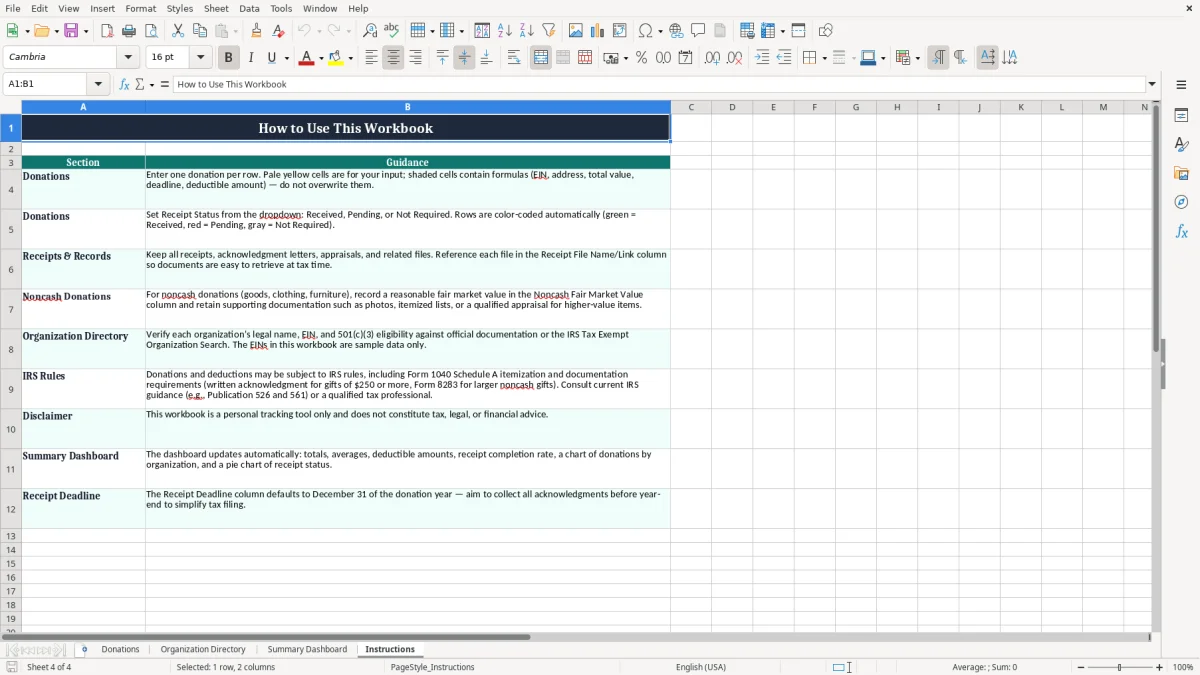
Use a predictable naming convention, such as DON-001.pdf, DON-002.pdf, or a name that includes the date and organization. Enter the same identifier in the Donation ID and the receipt file name so the spreadsheet row and document can be matched quickly.
Add one donation per row, even when several gifts go to the same organization. This preserves the date, payment method, amount, and receipt status for each transaction. Update records soon after a contribution is made rather than waiting until the end of the year.
When an acknowledgment arrives, change the receipt status, enter the receipt date, and add the file location or hyperlink. For noncash contributions, keep descriptions, valuation materials, photographs, appraisals, and delivery confirmations with the acknowledgment when appropriate.
Use filters to display pending receipts, sort by donation date, or group records by organization. A periodic review can reveal missing organization information, blank amounts, duplicate entries, or documents that cannot be opened. Save dated backup copies and protect access if the file contains personal information.
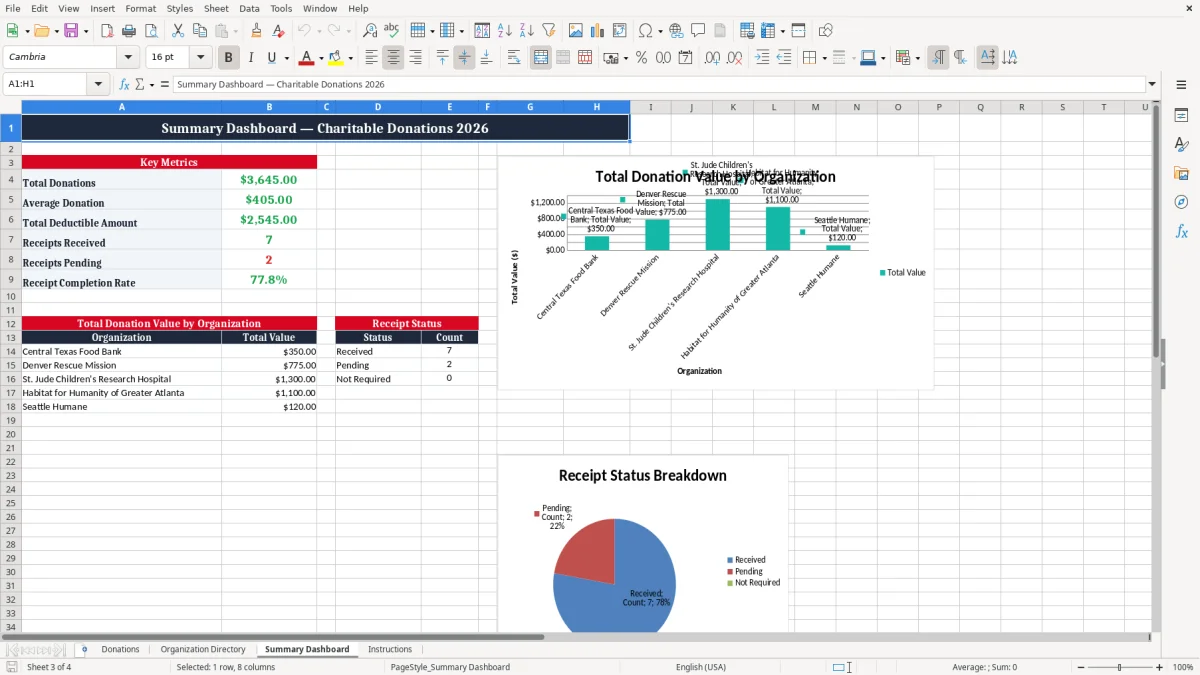
You may also add a separate annual summary sheet if your workflow needs totals by year or donation type, while keeping the original donation rows unchanged. This template supports orderly recordkeeping, not tax determinations. Follow the instructions that apply to your situation and ask a qualified tax professional about special documentation, valuation, or substantiation questions.
At year-end, a charitable donation receipt tracker can turn a large collection of contribution records into a more manageable review list. Start by checking that every donation has a date, organization name, donation type, payment method, and amount or fair market value.
Filter the Receipt Status column to find pending, requested, or missing acknowledgments. Compare cash amounts with bank, card, payroll, and online payment records to identify omissions or duplicates.
Review the Receipt File Name/Link column and open a sample of documents to confirm that links work and files are stored in the expected location. For noncash contributions, verify that descriptions and valuation support are retained with the related receipt.
The Deductible Amount column can provide a useful working summary, but it should not be treated as an automatic tax determination. Eligibility, limits, substantiation rules, and valuation requirements can depend on the contribution and applicable tax rules.
Share the organized workbook and supporting documents with your tax preparer if requested, while keeping your own secure backup. It can also help to save a final copy labeled with the relevant year before making later corrections. The template's organization fields make it easier to contact a charity if an acknowledgment is missing, and the receipt deadline field helps prioritize follow-up.
Consistent Donation IDs allow you to trace each summary amount back to a specific document. After filing, retain the spreadsheet and receipts according to your record-retention practice and applicable guidance. With regular updates and a brief year-end review, the tracker becomes a practical reference for charitable giving history rather than a last-minute reconstruction project.
It is an Excel-based recordkeeping tool for documenting charitable contributions, donor and organization details, payment information, receipt status, deadlines, deductible amounts, and links to supporting documents.
Yes. The template includes fields for donation type, noncash description, noncash fair market value, total donation value, deductible amount, and notes. Keep supporting valuation and acknowledgment documents with the related record.
Enter a consistent file name, folder path, or cloud-storage URL in the Receipt File Name/Link column. Using the Donation ID in the file name makes it easier to match each document to the correct spreadsheet row.
Common statuses include Received, Pending, Requested, Not Required, and Missing. Choose a consistent set for your workflow and update the status whenever documentation is requested or received.
The spreadsheet provides a field for recording the deductible amount, but tax deductibility can depend on contribution type, documentation, limits, and applicable rules. Confirm the amount with a qualified tax professional.
Yes. You can save a separate copy for each tax year or continue using one workbook with clearly identified dates and added annual summary sheets. Keep backup copies and supporting receipts organized by year.