TSP Contribution Allocation Excel – Free Template (2026)
0
Free download
Track 529 account balances, contributions, college projections, goals, and surplus or shortfall for each beneficiary in one Excel workbook.


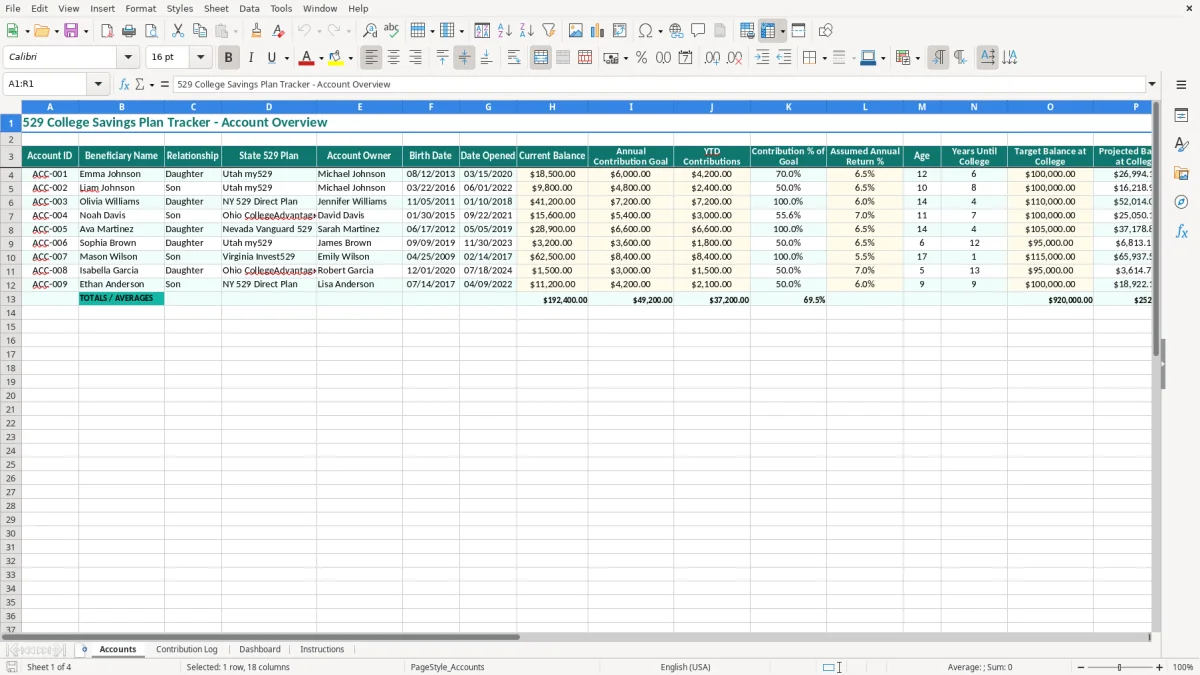
A 529 college savings plan tracker is an Excel workbook for monitoring account balances, contributions, growth assumptions, and projected college funding. This template contains Accounts, Contribution Log, Dashboard, and Instructions tabs so you can compare each beneficiary's progress against a target balance.
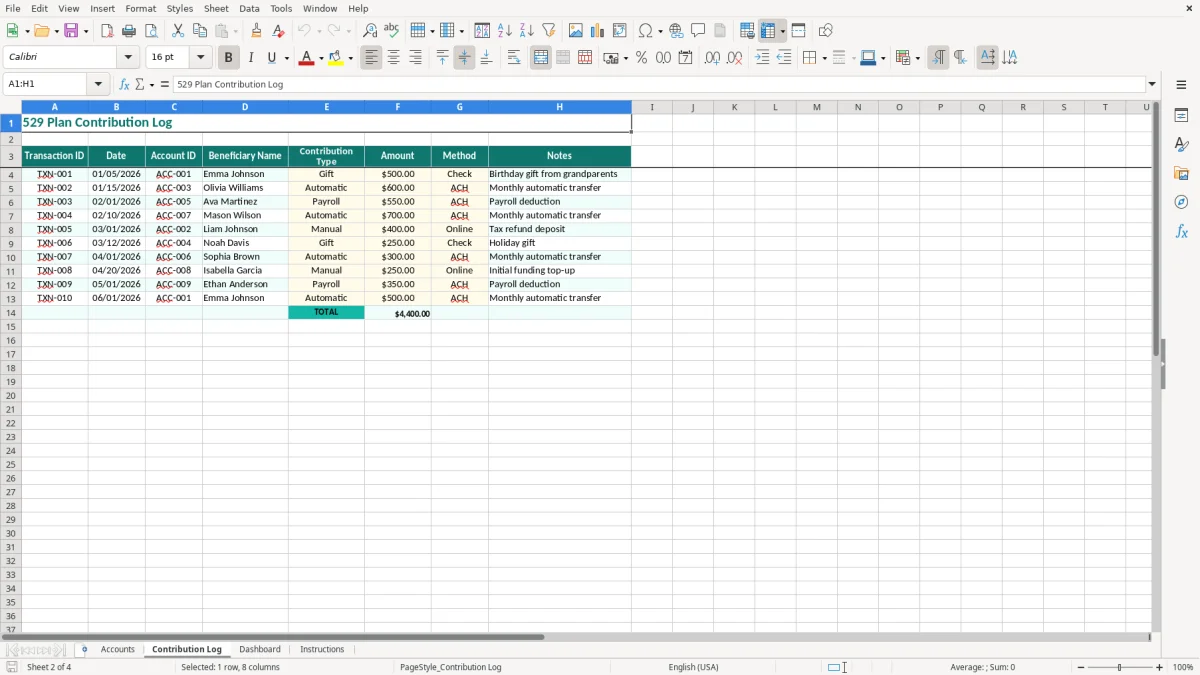
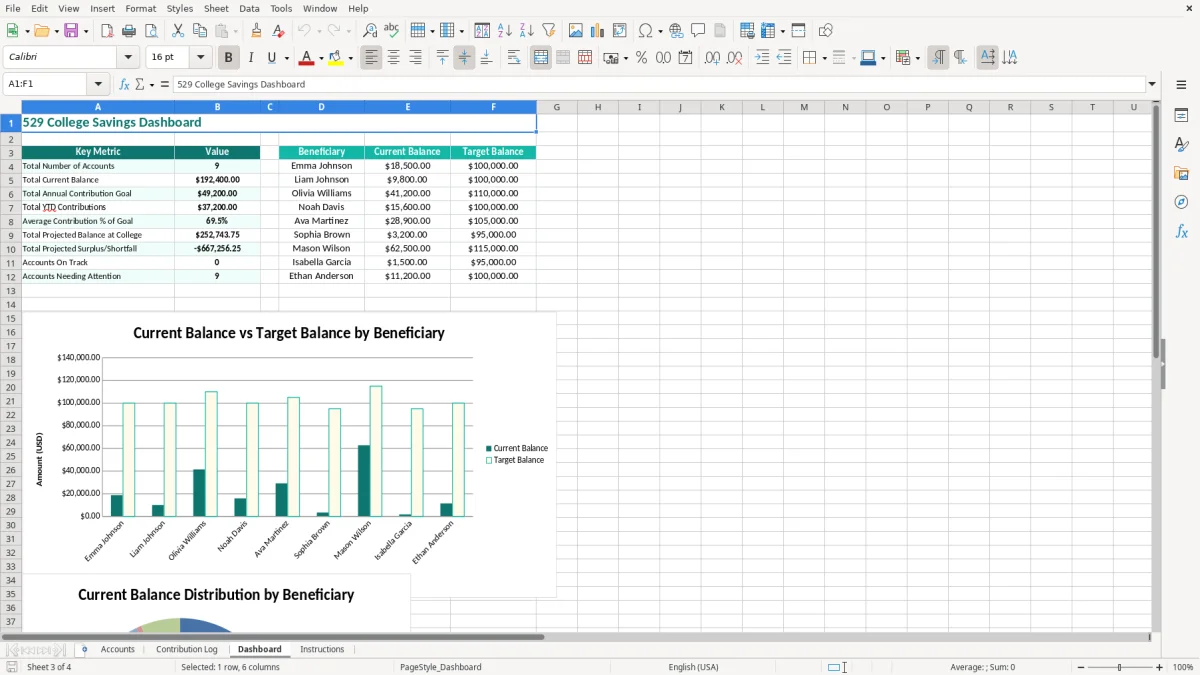
Use the Accounts tab to record one row per 529 account, including the beneficiary, account owner, state plan, current balance, annual goal, year-to-date contributions, assumed annual return, and projected surplus or shortfall. The Contribution Log gives you a transaction history, while the Dashboard turns the account data into an at-a-glance family funding review.
A 529 tracker is useful for more than a household with one automatic bank draft. A parent with two children may be comparing different birth dates, account ages, state plans, and target balances; a grandparent may be recording contributions to accounts that another family member owns; and a financial administrator may be keeping a consolidated view for several grandchildren. The Accounts tab gives each account its own row instead of forcing you to combine unlike goals.
Consider a family with Emma, age 12, and Liam, age 10. If both accounts show a $100,000 target but Emma has $18,500 saved and Liam has $9,800, the same annual deposit will not produce the same result. The Years Until College and Projected Balance at College fields make that difference visible before a tuition bill arrives.
Most families should update the Contribution Log after the monthly transfer posts, then review Accounts at least quarterly. A parent contributing $500 per month has deposited $6,000 after 12 months; entering that amount against a $6,000 annual goal produces a 100.0% contribution result. If only $4,200 has been deposited, the workbook shows 70.0%, a much clearer signal than a bank balance viewed in isolation.
The Account Owner and Relationship fields matter when a grandparent owns the plan or when the beneficiary has accounts in more than one state plan. You can record Utah my529 for one account and NY 529 Direct Plan for another, then compare balances without pretending the plans have identical investment menus or fees.
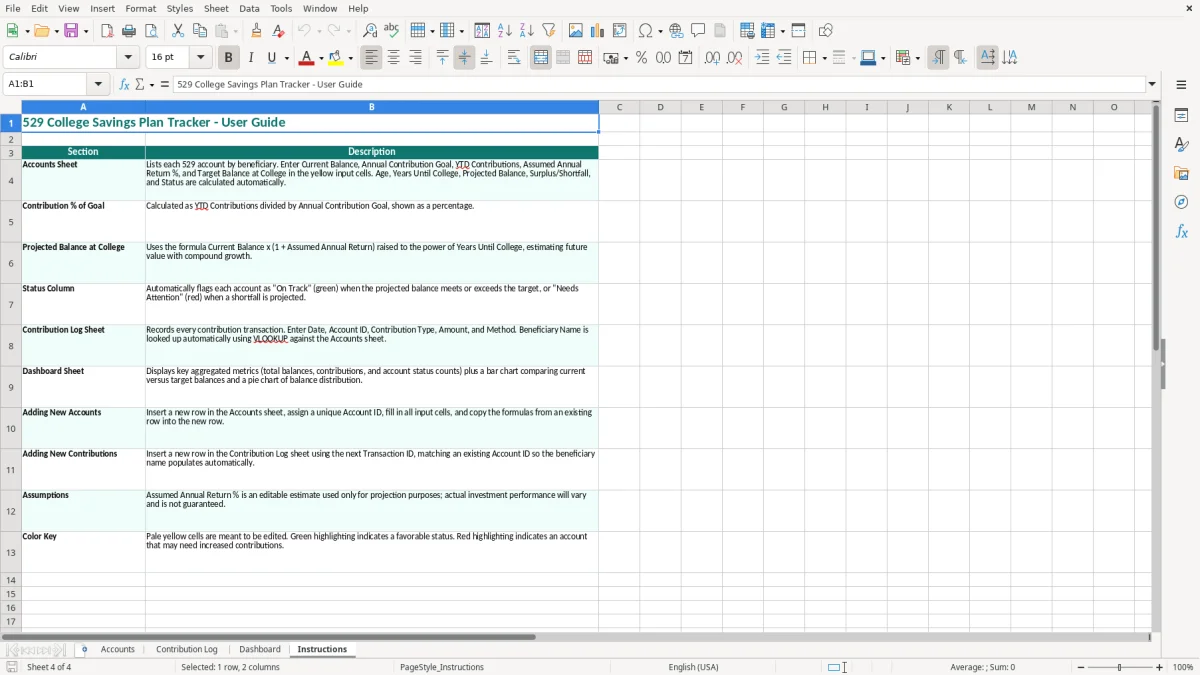
Image 1 shows the Accounts tab with the teal header row and columns running from Account ID through Status. Image 2 shows the Contribution Log, where you maintain the deposit history. Images 3 and 4 show the Dashboard and Instructions tabs, respectively, so you can move from transaction entry to review without rebuilding the workbook.
A 529 plan is a tax-advantaged education account created under Internal Revenue Code Section 529. Contributions are not deductible on the federal return, although a state may offer a deduction or credit for contributions to its qualifying plan. Qualified withdrawals for eligible education expenses are generally tax-free; a nonqualified withdrawal can create income tax and an additional 10% federal tax on the earnings portion.
Do not use the projected balance in this spreadsheet as a tax or investment guarantee. The Assumed Annual Return % is a planning input. At a 6.5% assumption, a $20,000 balance left invested for 10 years would grow to approximately $37,600 before additional contributions, fees, and market changes. Actual returns can be higher or lower.
There is no single annual federal contribution cap that applies to every 529 plan. Each state plan sets its aggregate account limit, and the limit can be well above the amount a family expects to save for college. Large contributions also require attention to the federal gift-tax rules. A five-year election may allow a donor to spread a large contribution over five years for gift-tax purposes, so retain the plan statement and any required filing records.
Qualified uses can include eligible tuition, fees, books, supplies, equipment, and certain room-and-board costs for an eligible student. Keep receipts, enrollment records, and withdrawal confirmations because the IRS generally expects tax records to be retained for 3 years, and some records should be kept up to 7 years when they support basis or a disputed transaction.
Reconcile the Contribution Log to the plan's statement, not merely to a checking-account withdrawal. A $600 transfer may be split between two beneficiaries, and a market loss can make the statement balance differ from contributions. Record each account separately, preserve the MM/DD/YYYY transaction date, and consult the current IRS guidance and your state's plan rules before claiming a state benefit or making a withdrawal.
The most expensive 529 errors are usually small data errors repeated for years. A parent may enter $600 as a monthly contribution while the bank draft is actually $60, or copy a balance from one beneficiary into another row. The spreadsheet then reports an impressive contribution percentage while the family is still short of the intended deposit by $540 each month, or $6,480 over a year.
Birth Date drives Age and Years Until College. Entering 03/22/2016 as 03/22/2026 makes a child appear to have no college timeline, while entering the month and day correctly but using the wrong year can shift the projection by a decade. Review dates in MM/DD/YYYY format and test one known age before updating every account.
A projected balance is not a promised balance. If a $25,000 account is projected at $50,000 but earns 2% instead of the assumed 6.5%, the ending value after 10 years is roughly $30,500 rather than approximately $46,800 before contributions. That gap can exceed $16,000, so use the projection to test funding decisions, not to justify skipping deposits.
Combining deposits for three beneficiaries in one note makes reconciliation slow and increases the chance of double counting. A missed $250 monthly deposit costs $3,000 over a year before lost growth. The Contribution Log should identify the account for every deposit, and you should compare its total with the plan statement during each review.
Another failure occurs when a family tracks only the balance and ignores the target. A $40,000 account may look healthy, but if the target is $100,000 and college begins in 4 years, the Projected Surplus/Shortfall and Status fields force the funding gap into view. That early warning is more useful than a colorful balance with no deadline attached.
The workbook becomes useful when you update it on a fixed schedule rather than only when tuition is due. Tie the process to the bank statement or automatic transfer date: enter deposits on the first Friday after the statement closes, reconcile balances quarterly, and review projected shortfalls before changing the next month's contribution.
Use the same beneficiary spelling and Account ID every time. Do not type a new variation such as Emma J. in one log row and Emma Johnson in another; inconsistent labels make filtering and reconciliation unreliable. Copy last quarter's review checklist, but update the actual balance and contribution amounts rather than copying old figures.
Use conservative assumptions when making a funding decision. For example, if a $30,000 account has 8 years until college, compare the result at 4.0% and 6.5% instead of relying on one optimistic forecast. A difference of two percentage points can materially change the amount you need to contribute each month.
This workbook is a good fit for a family tracking a handful of accounts and monthly deposits. Move to a financial-planning or investment platform when you manage dozens of beneficiaries, need live balances, require shared access, or must document withdrawals and tax reporting across multiple owners. Excel remains useful as a review schedule, but it should not replace the 529 provider's official records.
It calculates Contribution % of Goal, Age, Years Until College, Projected Balance at College, and Projected Surplus/Shortfall from the account inputs. The projection uses the Assumed Annual Return % field and is not a guarantee of investment performance.
Yes. Add a separate account row for each beneficiary and use a distinct Account ID. The Beneficiary Name, Relationship, State 529 Plan, and Account Owner columns let you distinguish children, grandchildren, and accounts owned by different family members.
Enter 6.5% in the Assumed Annual Return % cell using the workbook's percentage format. If you are entering the underlying decimal directly, use 0.065. Review the assumption annually because market returns, fees, and the investment option can change the result.
No federal deduction generally applies to a 529 contribution. Some states offer a deduction or credit, often with rules tied to that state's plan. Check the applicable state instructions before claiming a benefit, and keep contribution statements with your tax records.
Keep plan statements, contribution records, withdrawal confirmations, enrollment information, receipts, and documentation supporting qualified expenses. Qualified withdrawals are generally tax-free, while a nonqualified withdrawal can expose the earnings portion to income tax and an additional 10% federal tax.
It should match after you update it to the same statement date, but market movement and pending deposits can create timing differences. Reconcile Current Balance and Contribution Log to the provider statement each quarter instead of treating an old spreadsheet figure as the official account record.