Goodwill Donation Value Log Template
12
Free download
Track Airbnb income, cleaning, fees, mileage, and repairs with monthly totals and charts for host bookkeeping.


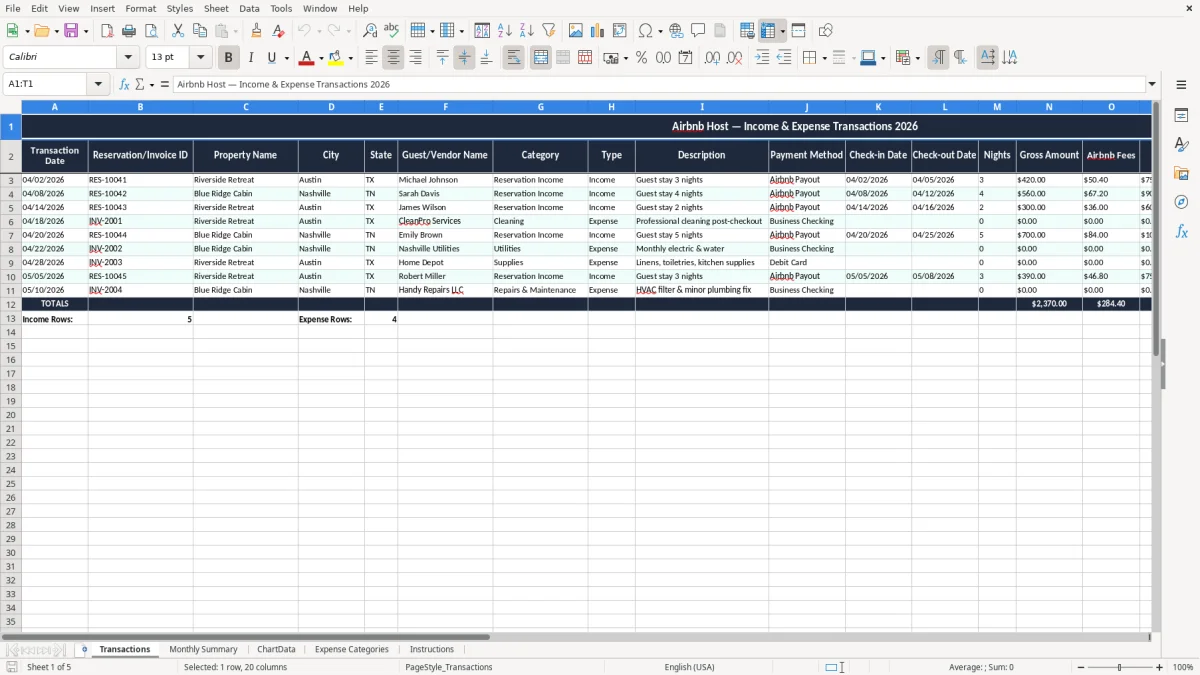
This Airbnb host income and expense Excel template tracks bookings, fees, repairs, cleaning, mileage, and monthly profit in one workbook. It includes Transactions, Monthly Summary, ChartData, Expense Categories, and Instructions tabs so you can see cash flow and year-to-date results fast.
Use it for a single rental, a few short-term units, or a host business that reports on Schedule C. The workbook is built to help you sort each cost into the right bucket before tax season, instead of rebuilding the year from receipts and bank statements.
The template gives you a clean place to enter each stay and expense, then rolls the numbers into summary charts that show what the property actually earns after platform fees and operating costs.
Most hosts open a spreadsheet like this when the numbers stop fitting in a bank feed and a notes app. A sole proprietor filing Schedule C can use it to separate rental income, cleaning, repairs, and platform fees before the year-end scramble.
This template also fits a bookkeeper at an LLC with one furnished unit, a host with two cabins, or a family renting a basement suite part-time. If you have 14 bookings at $165 a night, plus $75 cleaning charges and $310 in platform fees, the monthly net only makes sense when each piece is entered separately.
The practical users are the people who need a clean month-end number: an office manager at a contractor-hosted property, a homeowner with one spare room, or a small hospitality business with 40 transactions a month. They usually update the file right after payout or right before tax season.
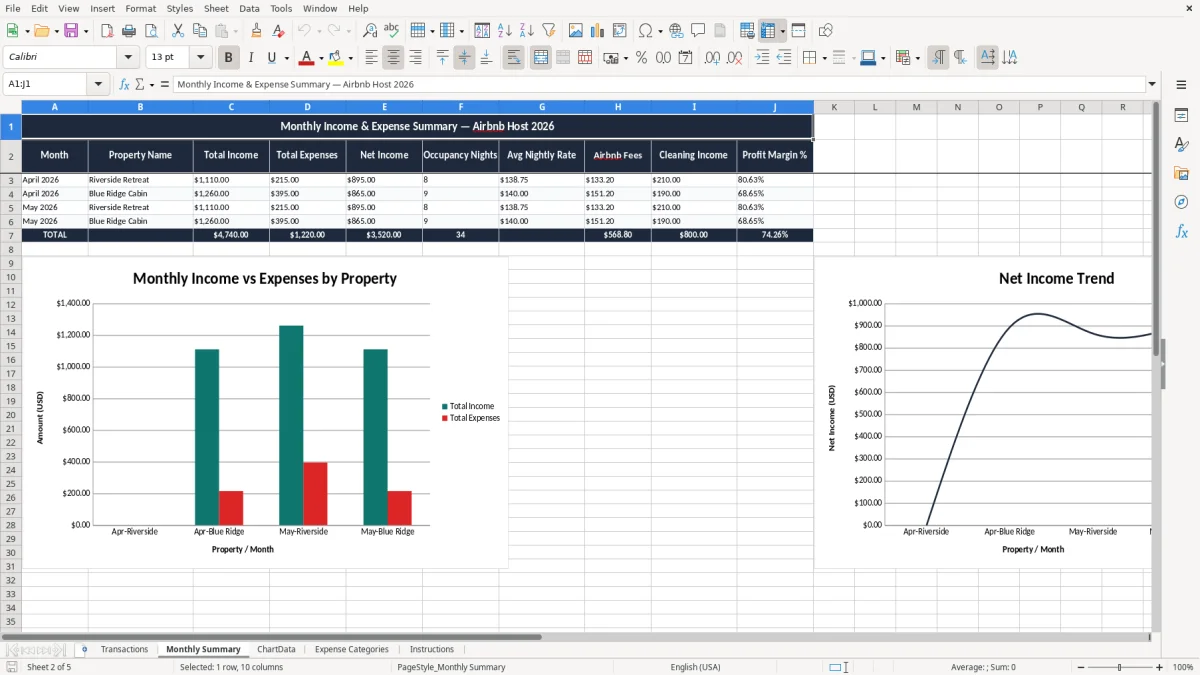
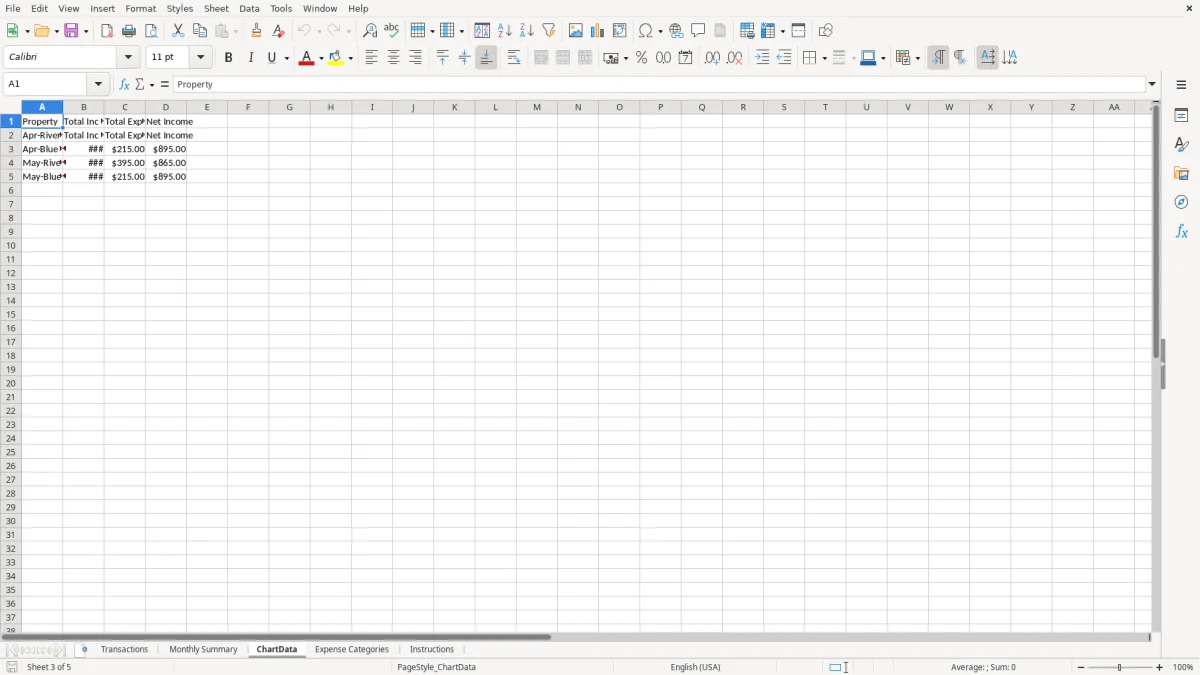
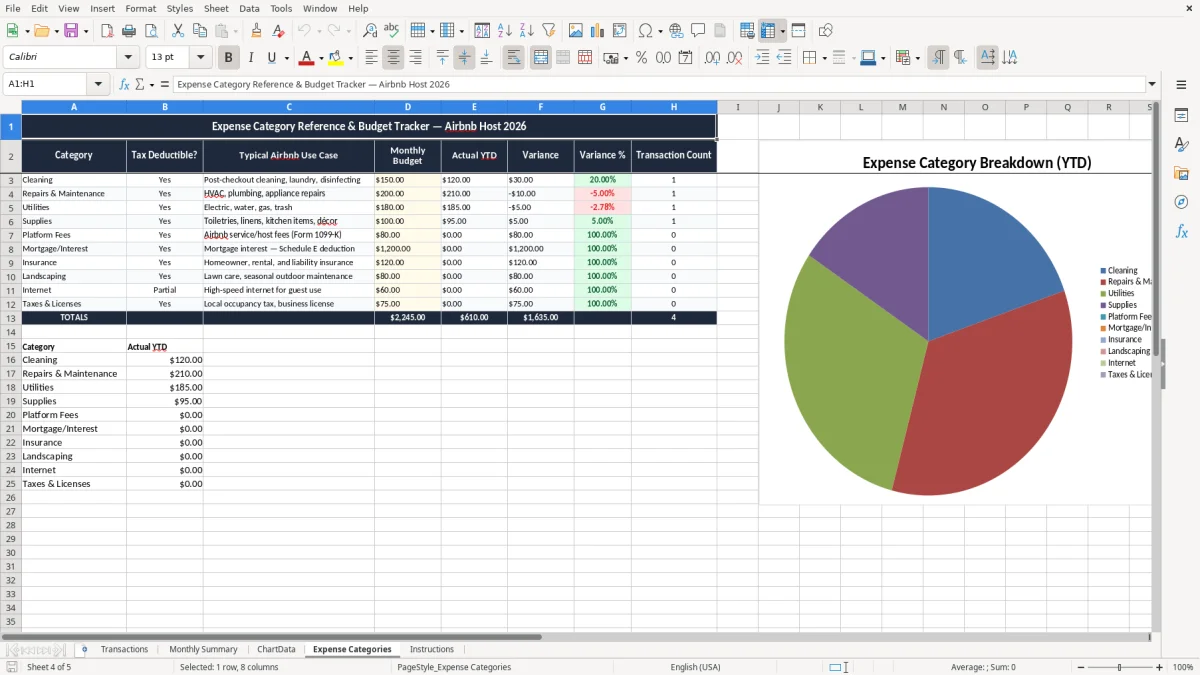
Image 1 is the Transactions sheet for line-by-line entry. Image 2 is the monthly summary, image 3 feeds the charts, image 4 holds expense categories, and image 5 explains how to keep the workbook consistent.
That structure matters when one property earns $3,900 in bookings but still ends the month at $1,260 after cleaning, repairs, and fees. You need the breakdown to see whether the business is actually working.
The IRS expects records that support income and deductions, not rough estimates. For many hosts, that means keeping the workbook, receipts, payout reports, and mileage notes long enough to back up Form 1040, Schedule C, and, when applicable, Schedule SE.
A practical retention target is 3 years, and some records should stay closer to 7 years. If you paid a contractor $600 or more for cleaning, staging, photography, or repair work, the contractor may need a 1099-NEC, which is one more reason to keep names, amounts, and dates inside the spreadsheet.
Business miles, repairs, supplies, and certain improvements are not the same thing. If you drove 480 miles to buy linens and make repairs, the log needs dates and business purpose; if you bought a $1,200 furniture set, that may belong in depreciation instead of a simple expense line.
For most small hosts, cash-basis tracking is simpler than trying to rebuild activity later. A 120-square-foot home office can also produce a $600 simplified home-office deduction at $5 per square foot, so the file should leave room for that kind of detail when you need it.
If you later move into a more formal structure such as an S-corp, the same discipline still helps, but the categories have to stay cleaner because payroll, owner pay, and distributions are no longer the same thing.
The biggest mistake is blending owner spending with property expenses. If you spend $480 on a sofa and book it as repairs, your monthly profit & loss gets distorted and you make bad pricing decisions the next month.
Another common error is ignoring cash flow until the bank balance gets thin. A month with $6,400 in bookings can still end with only $700 before tax if cleaning, platform fees, utilities, restocking, and a lock replacement eat the rest.
People also wait until January to rebuild mileage from memory, then miss trips or forget the business purpose. That weakens the log and can cost you hundreds of dollars in deductions, especially if the property needs constant supply runs and maintenance visits.
A missed 1099 entry can turn into a filing headache, and a bad expense classification can hide a capital item that should be tracked separately. If you confuse a $1,800 mattress replacement with $180 of linens, you lose the chance to decide whether the larger item should be capitalized and depreciated.
Hosts who understate expenses also tend to overestimate how much they can spend on the next turn. Ten bad classifications in a year can easily shift profit by $1,000 or more, which is enough to distort pricing, tax estimates, and owner draws.
The spreadsheet only works if you use it on a schedule you already follow. The cleanest routine is to update it when the Airbnb payout hits the bank and again when you reconcile the month-end statement.
If you manage multiple properties, employ cleaners, or need payroll and vendor tracking in one place, the spreadsheet becomes a bridge rather than the final system. At that point, QuickBooks or a property-management platform is faster and less error-prone.
Until then, this file gives you enough structure to keep each month clean, compare one property to another, and avoid the usual year-end reconstruction from receipts and email confirmations.
It tracks booking income, cleaning costs, repairs, supplies, platform fees, mileage, and monthly net profit. The workbook shows what the property earned after operating expenses instead of leaving you with only gross payout totals.
Yes. A single-unit host often gets the most value from it because the spreadsheet keeps every payout and expense in one place, which makes year-end tax prep much faster.
Yes. If you report short-term rental income on Schedule C, the template gives you a cleaner record of income and deductible expenses before you transfer totals to your tax return.
Enter the gross Airbnb activity and separate the platform fees or withheld amounts as their own lines. That gives you a clearer profit & loss and keeps fees from hiding inside income.
Yes. Mileage and repair costs belong in the same workbook, but they should stay in separate categories so you can support deductions and compare recurring maintenance against one-time fixes.
Weekly is best for active hosts, and monthly is the minimum if you want clean numbers. If you wait until quarter-end, you usually miss receipts, forget small expenses, and spend more time reconciling the bank account.