Goodwill Donation Value Log Template
12
Free download
Track Etsy orders, fees, COGS, shipping, sales tax, and profit in one Excel workbook for shop owners and resellers.


This Etsy shop seller profit tracker Excel template helps you record each order, subtract Etsy fees and product costs, and see true profit per sale. It includes a Transactions tab, a Summary Dashboard, a Fee & Tax Guide, and Instructions.
Use it when you want a clean profit-and-loss view of your shop instead of guessing from payout totals. The workbook is built for day-to-day Etsy selling, with fields for gross sales, discounts, shipping charges, fees, ad spend, shipping label cost, COGS, sales tax collected, net revenue, expenses, profit, and margin.
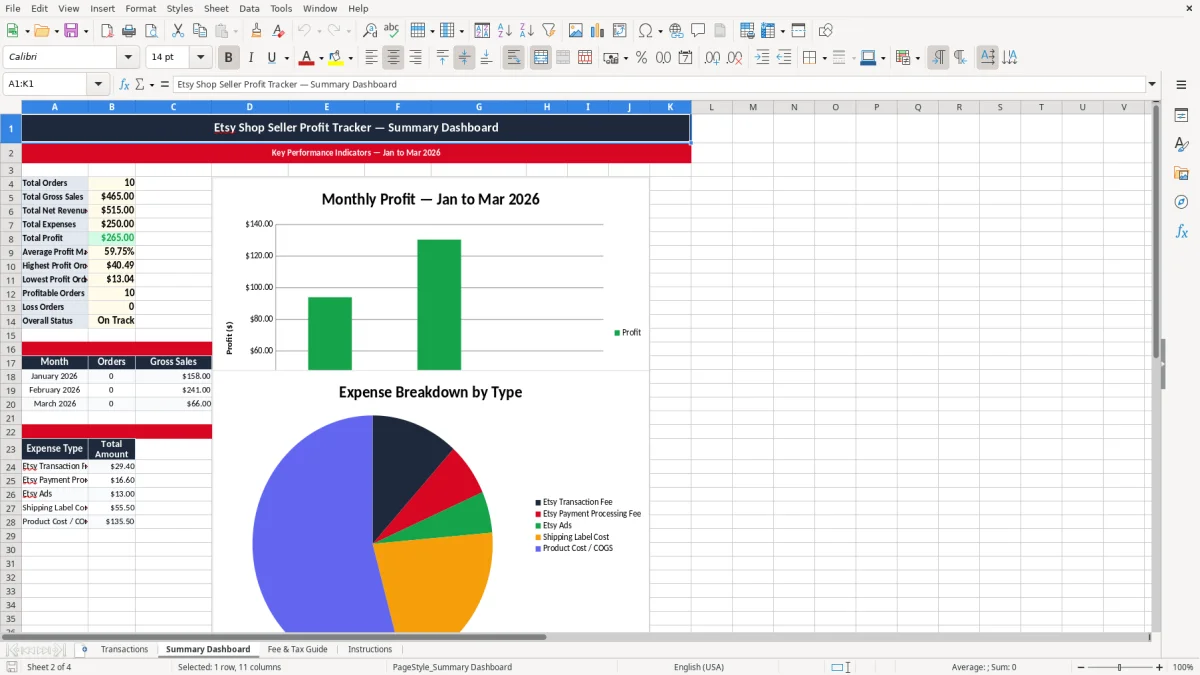
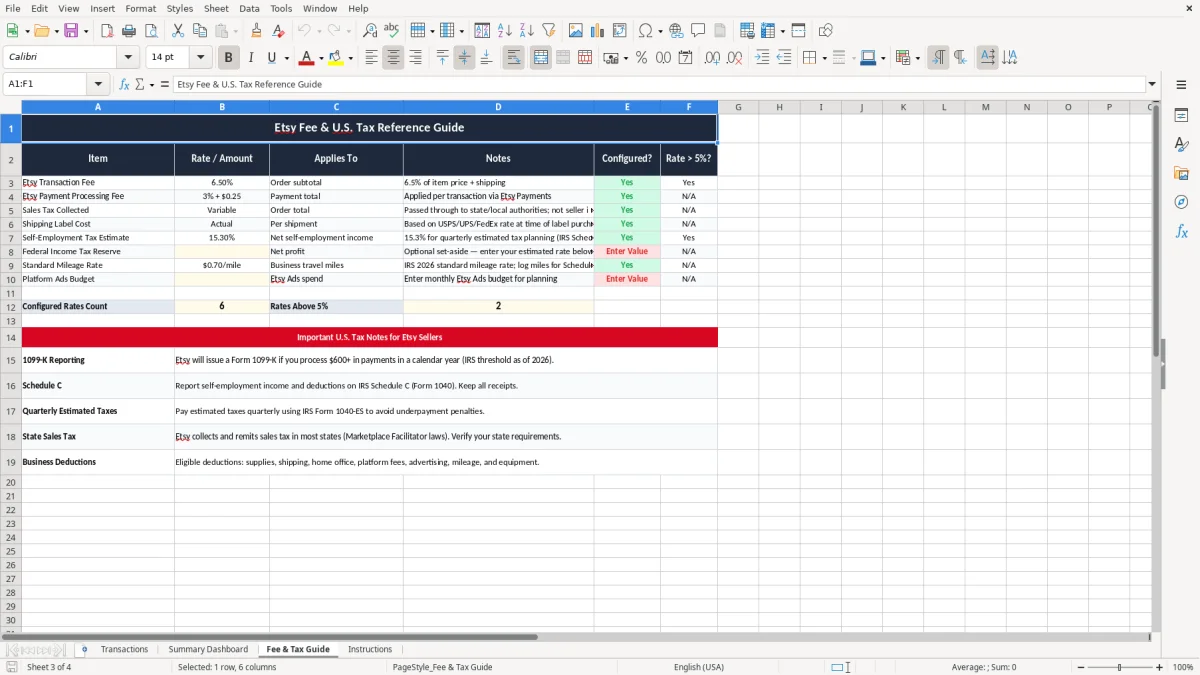
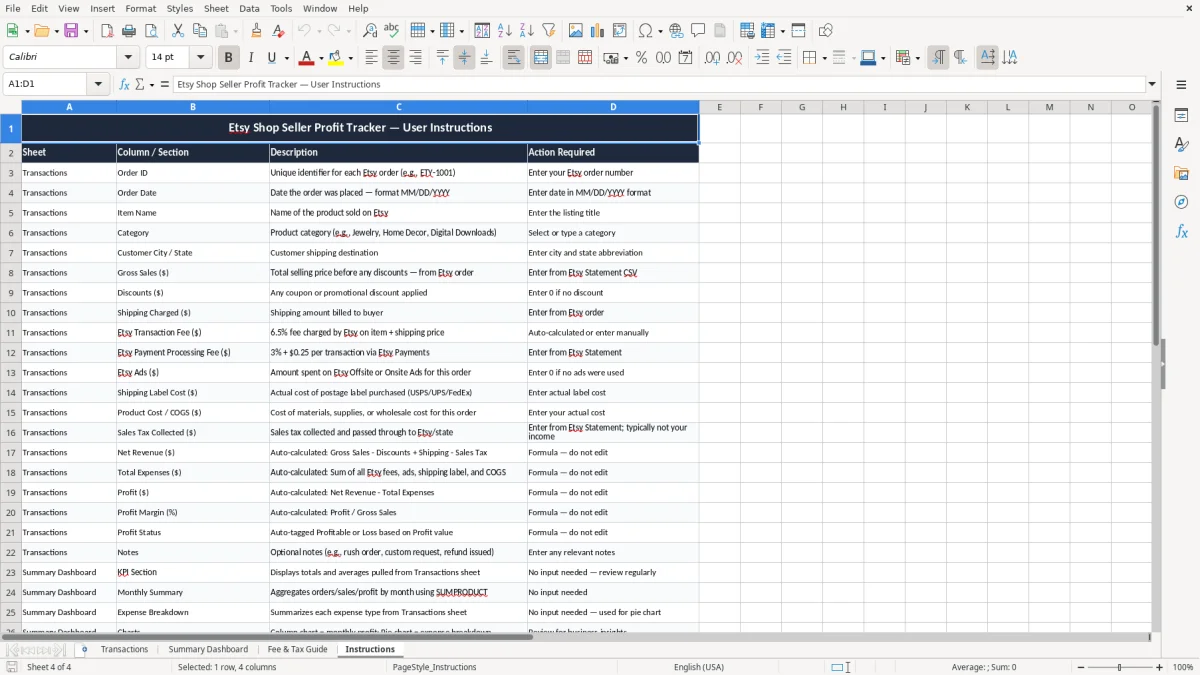
The screenshots below show the four tabs and the column layout used for a real-order workflow. If you sell handmade goods, print-on-demand items, or vintage inventory, this keeps your numbers in one place.
This workbook fits the way an Etsy shop actually runs: an order comes in, you ship it, Etsy deducts fees, and you want to know what is left. A solo maker filling out Schedule C, a bookkeeper inside an LLC, or a spouse helping with weekend sales can all use the same structure without rebuilding the math every time.
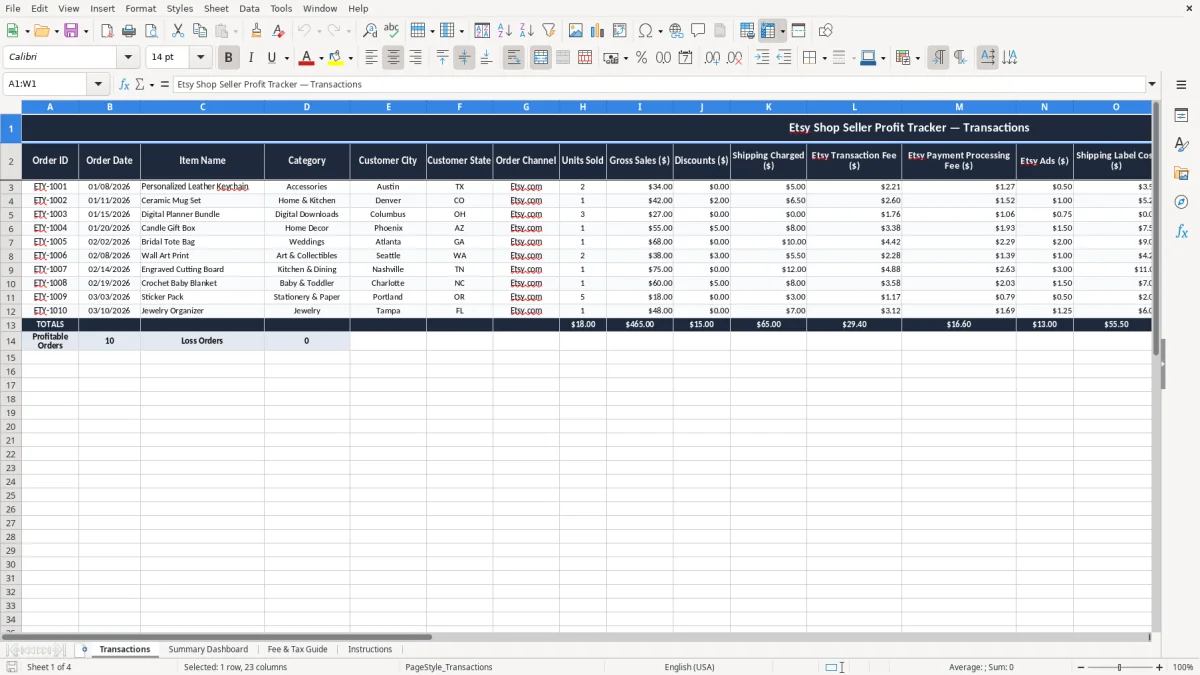
The Transactions tab is the working sheet. Image 1 shows a wide table with fields for Order ID, Order Date, Item Name, Category, Customer City, Customer State, Order Channel, Units Sold, Gross Sales, Discounts, Shipping Charged, Etsy fees, ads, shipping label cost, product cost, sales tax collected, Net Revenue, Total Expenses, Profit, Profit Margin, Profit Status, and Notes.
If you sell 120 orders a month at an average of $31.00, a small $1.50 mistake per order becomes $180.00 in distorted profit. That is enough to hide whether your shop is actually paying for materials, shipping, and your time.
A weekend seller with 25 monthly orders needs fast order-level visibility. A higher-volume shop with 300 orders a month needs a line-by-line record so category performance does not get buried inside payout totals.
The IRS looks at your records the same way it looks at any sole proprietor business: you need support for income, expenses, and deductions. For most federal tax records, keep the detail for at least 3 years, and hold longer when the document supports a basis item or a large purchase that affects future depreciation.
That is why this template separates gross sales, discounts, shipping charged, fees, COGS, and sales tax collected. If you received a $42.00 order and paid $6.10 in Etsy fees plus $11.25 in product and label cost, your taxable business profit is not the payout amount shown in the payment account.
For a seller with $8,000 in monthly gross sales, confusing deposits with income can create a bookkeeping mess that takes hours to unwind at year-end. The order detail in this sheet gives you the clean path to a profit & loss summary instead of a bank-balance guess.
Etsy transaction fees, payment processing fees, ads, and shipping labels are not the same thing. When you keep them in separate columns, you can see whether profit is being squeezed by marketplace fees, by advertising, or by the actual product cost.
The most expensive mistake is treating the Etsy deposit as profit. If your shop collects $5,400 in payouts during a month but $1,050 of that is fees, shipping labels, and ad spend, you can easily think you made more than you did and then overspend on inventory.
Another common failure is leaving sales tax collected inside revenue. That money is usually not yours to spend; if you book it as income, your reports overstate sales and your cash flow decision-making gets sloppy fast.
A $24.00 item with $6.00 in materials, $4.25 in Etsy fees, $5.50 in shipping label cost, and $2.00 in ads leaves only $6.25 before overhead. If you sell 80 of those orders, the difference between a $6.25 margin and a $9.25 margin is $240.00 a month.
If you wait until January to sort out 250 orders, you will spend hours matching receipts to listings, labels, and payment reports. That is the kind of cleanup that turns a normal filing job into a weekend project with mistakes that ripple into your return.
The spreadsheet works only if you touch it on a schedule. For most sellers, the best routine is to enter orders once a week, then do a month-end review right before you reconcile bank deposits or estimate quarterly tax payments.
If you are pushing 500 to 1,000 orders a month, manual entry starts to slow you down and errors become expensive. At that point, a more complete system such as QuickBooks or an ecommerce-connected bookkeeping workflow is usually the better move.
It records each order’s date, item, customer location, sales channel, sales amount, Etsy fees, ad spend, shipping label cost, product cost, sales tax collected, net revenue, expenses, profit, and profit margin.
Because sales tax collected is not your operating income. If you mix it into revenue, your profit reports are too high and your cash available for inventory or ads looks better than it really is.
Yes. It gives you the kind of order-level support a Schedule C filer needs when summarizing business income and deductible expenses for Form 1040.
It keeps each cost in its own column, so you can see whether fees, labels, ads, or product cost are hurting profit. That is better than stuffing everything into one expense line and losing the detail later.
Once a week is the practical minimum for most sellers. If you have a busy shop, update it after each shipping run so your profit numbers stay close to reality.
If you are dealing with hundreds of orders a month, multiple channels, or more than one person entering data, a spreadsheet becomes slow and error-prone. That is the point where a bookkeeping system with imports and reconciliations is the better tool.