Goodwill Donation Value Log Template
12
Free download
Track equipment costs, business use, Section 179, bonus depreciation, MACRS, and year-one deductions for 2026 tax planning.


This Section 179 equipment depreciation Excel template records asset purchases, in-service dates, cost basis, business use, Section 179 elections, bonus depreciation, and first-year MACRS deductions. It gives you an equipment register, depreciation schedule, dashboard, and instructions for organizing 2026 tax data.
Use it when you buy machinery, vehicles, computers, tools, or other business property. The Equipment Register calculates business-use basis and compares the Section 179 election, bonus depreciation amount, regular MACRS deduction, and total year-one deduction for each asset.
A sole proprietor, single-member LLC, or S-corp bookkeeper usually opens this workbook when equipment is purchased and again during year-end close. A contractor who buys a $48,000 excavator and uses it 90% for business starts with a $43,200 business-use basis, not the full invoice amount.
The Equipment Register is useful for a general contractor with four employees, a dental office adding computers and imaging equipment, or a farm purchasing machinery. Each row preserves the purchase date, in-service date, category, and useful-life assumption instead of leaving the information scattered across invoices and bank statements.
Use it during the monthly bookkeeping review, before a quarterly estimated-tax payment, and during tax-season preparation for Form 4562. The in-service date matters because equipment bought in December but not ready for use until January belongs to a different depreciation period.
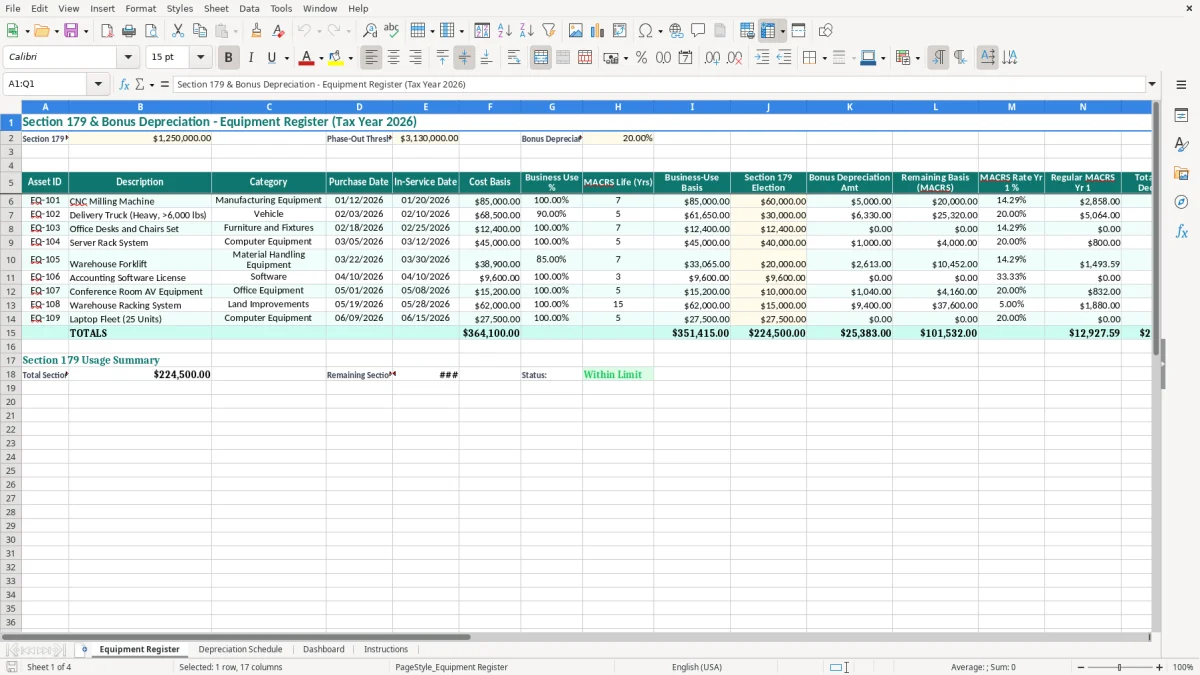
Image 1 shows the Equipment Register's teal title and header areas, yellow input cells, and columns running from Asset ID through Deduction % of Basis. The visible layout places the 2026 assumptions near the top, so you can check the $1,250,000 Section 179 limit, $3,130,000 phase-out threshold, and 20.00% bonus rate before entering assets.
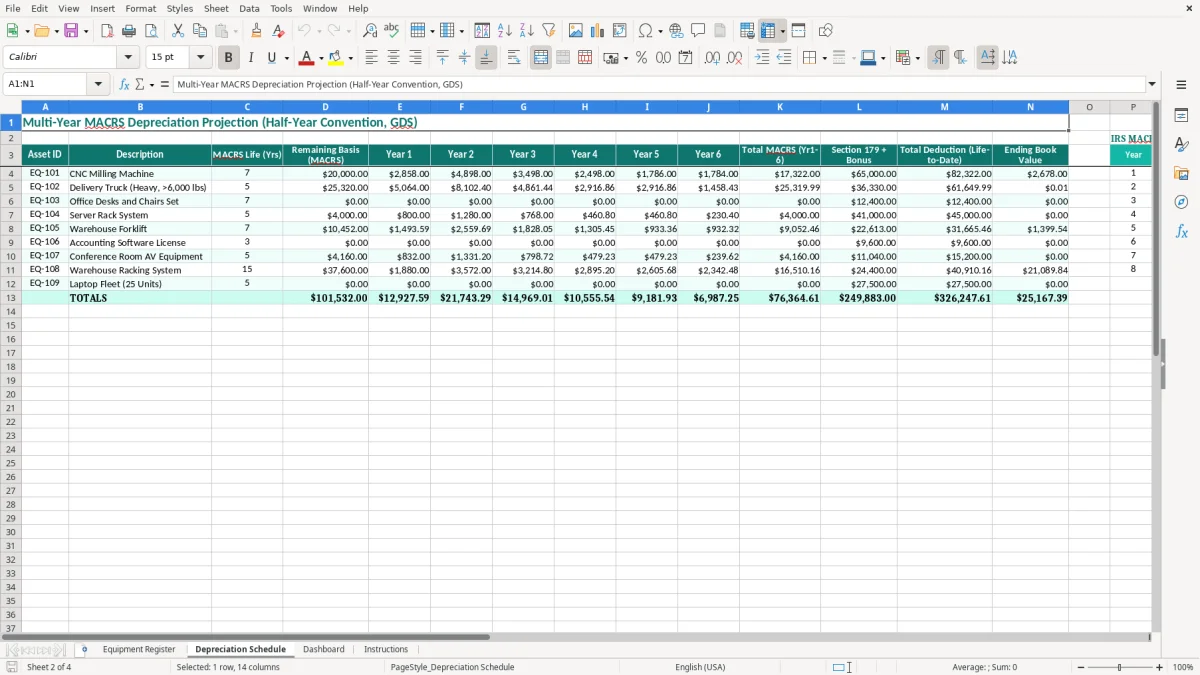
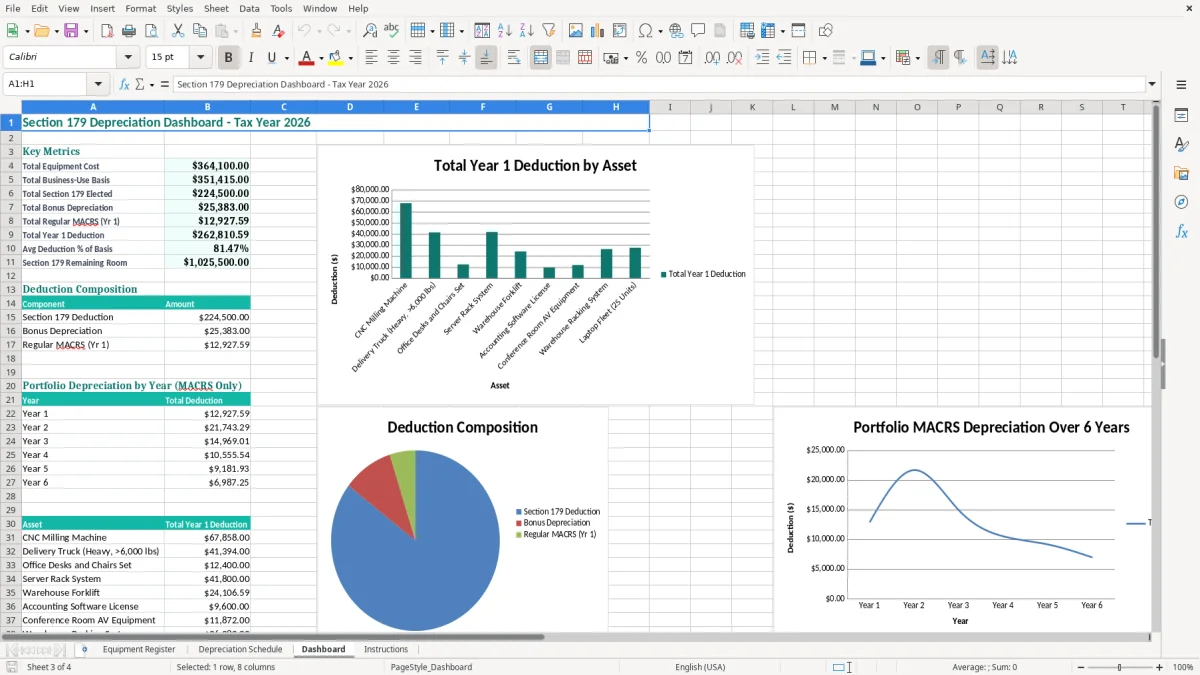
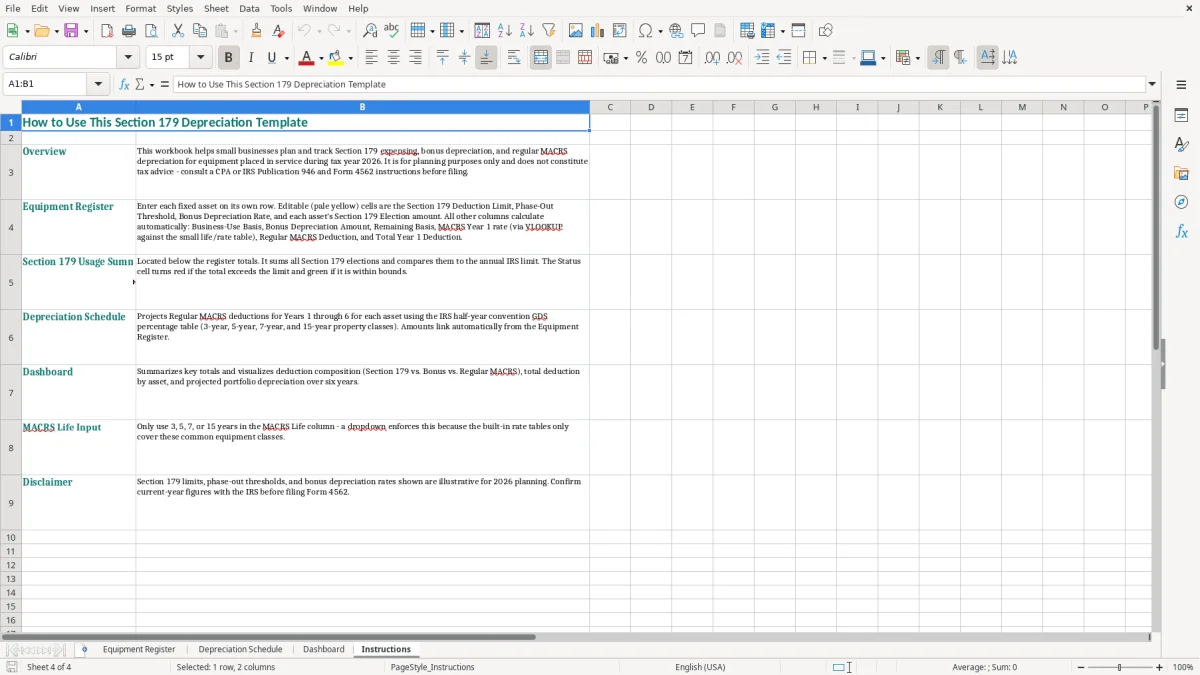
The Depreciation Schedule gives you a separate place to inspect depreciation results, while the Dashboard provides a summarized view for management review. Image 2 shows the second tab's schedule layout; images 3 and 4 show the Dashboard and Instructions tabs. A business with 12 assets totaling $160,000 of business-use basis can review the portfolio in minutes instead of rebuilding the calculation from 12 invoices.
This workbook is preloaded with a 2026 Section 179 deduction limit of $1,250,000 and a phase-out threshold of $3,130,000. The phase-out reduces available Section 179 capacity as qualifying property placed in service exceeds the threshold, so the limit is not a reason to elect the full amount on every asset.
Section 179 generally applies to qualifying property placed in service for business, and business use must be considered. For example, an $80,000 asset used 75% for business has an $60,000 business-use basis. A $50,000 election against that basis leaves $10,000 before any remaining-basis or MACRS calculation.
The template's 2026 input for bonus depreciation is 20.00%. It also separates Remaining Basis (MACRS), MACRS Rate Yr 1 %, and Regular MACRS Yr 1, because Section 179, bonus depreciation, and regular MACRS depreciation are different parts of the deduction analysis.
Use the workbook as a calculation and documentation aid, then carry the final amounts to Form 4562 and the appropriate business return. A sole proprietor commonly reports business depreciation through Schedule C; an S-corp or C-corp generally reports it on the corporation's return. The entity type changes the tax return even when the equipment register is identical.
Keep the vendor invoice, payment evidence, serial number, purchase date, in-service date, and business-use support with the workbook. The IRS generally expects records to be retained for 3 years, and some situations call for records up to 7 years. The Instructions tab is the right place to review the workbook's intended workflow before modifying a rate or limit.
The most common problem I see is treating the purchase date as the depreciation start date. A $24,000 compressor delivered on 12/20/2026 but installed and ready on 01/05/2027 should not be treated as 2026 in-service property merely because the check cleared in December.
That mistake can shift a deduction into the wrong tax year and force a return amendment or a revised fixed-asset schedule. Enter both dates in the register; do not overwrite the in-service date just to make the deduction appear sooner.
A mixed-use laptop costing $3,000 and used 70% for business has a $2,100 business-use basis. Applying Section 179 to the full $3,000 overstates the deductible basis by $900 before considering the deduction limit or taxable-income limitation.
Keep a defensible business-use percentage and update it when usage changes. The Business-Use Basis column is valuable precisely because it prevents the cost basis from being treated as automatically deductible.
Another costly error is adding Section 179, bonus depreciation, and regular MACRS without reducing the remaining basis. If a $10,000 business-use asset receives a $6,000 Section 179 election and a $800 bonus amount, regular MACRS should apply only to the remaining basis, not to the original $10,000.
Also check the Deduction % of Basis column. A result above 100% is a warning that an input or formula deserves review. Image 1 makes these checks easier because the election, bonus amount, remaining basis, regular deduction, and total year-one deduction sit beside one another.
Do not wait until tax season to reconstruct asset purchases. During the final bookkeeping session each month, compare the business checking account, credit-card statements, and vendor invoices to the Equipment Register. A company adding two $7,500 tools per month can accumulate $90,000 of annual equipment without a monthly control.
Assign one person to enter new assets and another person to review the in-service date, business-use percentage, and MACRS life. That two-person check is more reliable than asking the tax preparer to interpret a year of unlabeled transactions in March.
For a $36,000 vehicle used 80% for business, enter the $28,800 business-use basis once and preserve the supporting mileage or usage record separately. The workbook should summarize evidence, not replace it.
Excel works well for a small register with 10 or 20 assets and one reviewer. Move to fixed-asset software or an integrated accounting system when you manage several hundred assets, multiple legal entities, disposals, transfers, partial-year conventions, or monthly depreciation entries that must post automatically to a general ledger.
It records each asset's cost basis, business-use percentage, MACRS life, Section 179 election, bonus depreciation amount, remaining MACRS basis, regular year-one MACRS deduction, total year-one deduction, and deduction percentage. The workbook also includes a Depreciation Schedule, Dashboard, and Instructions tab.
The Equipment Register shows a 2026 Section 179 deduction limit of $1,250,000 and a phase-out threshold of $3,130,000. These are planning inputs in the workbook; review the final federal limitation against the property, business income, and tax return facts before filing.
Multiply Cost Basis by Business Use %. For example, equipment costing $20,000 and used 80% for business has a $16,000 business-use basis. Enter the percentage as 80.00%, not 80, so the spreadsheet treats it as a percentage.
Purchase Date identifies when you acquired the property. In-Service Date identifies when it was ready and available for business use, which is the date that generally controls when depreciation begins.
Yes. An LLC, S-corp, sole proprietor, or C-corp can use the register to organize asset information, but the tax return and reporting treatment differ by entity. A sole proprietor may use the results for Schedule C and Form 4562, while a corporation reports depreciation through its corporate return.
Keep invoices, payment records, serial numbers, purchase and in-service dates, business-use support, and disposal documents with the workbook. The IRS generally expects tax records to be kept for 3 years, with some circumstances requiring records for up to 7 years.