VRBO Booking Calendar Tracker Excel - Free Template
Track VRBO reservations, rates, fees, deposits, and occupancy with a Bookings log, Calendar, Summary, and Instructions tabs.


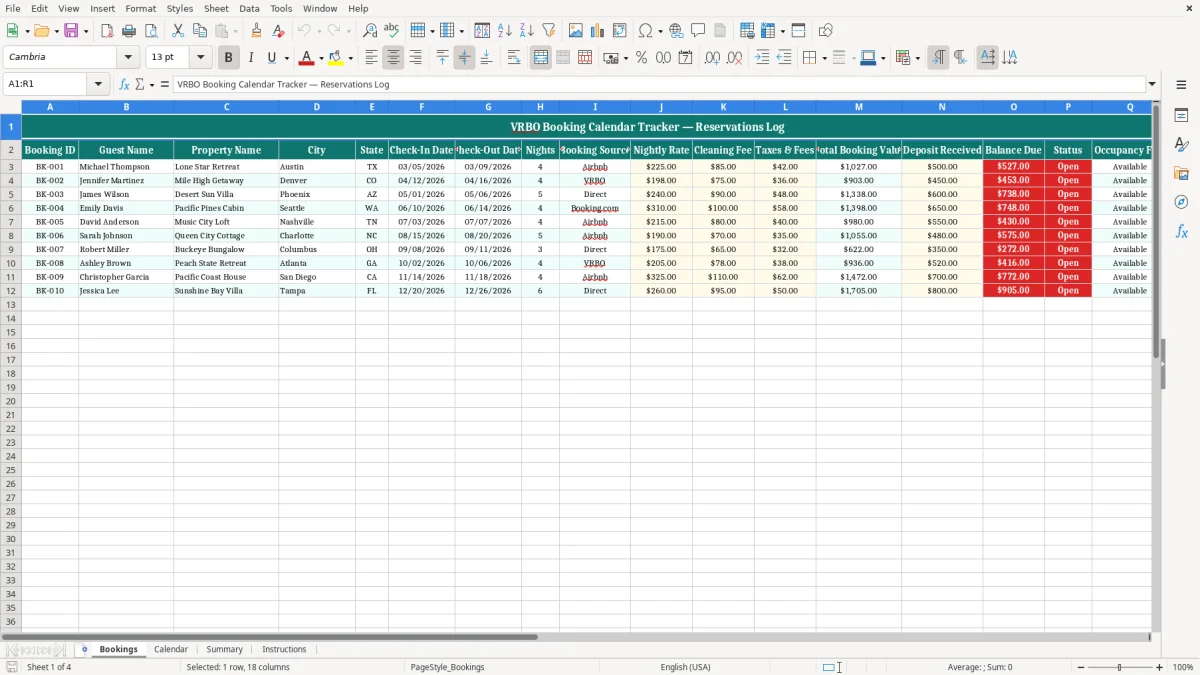
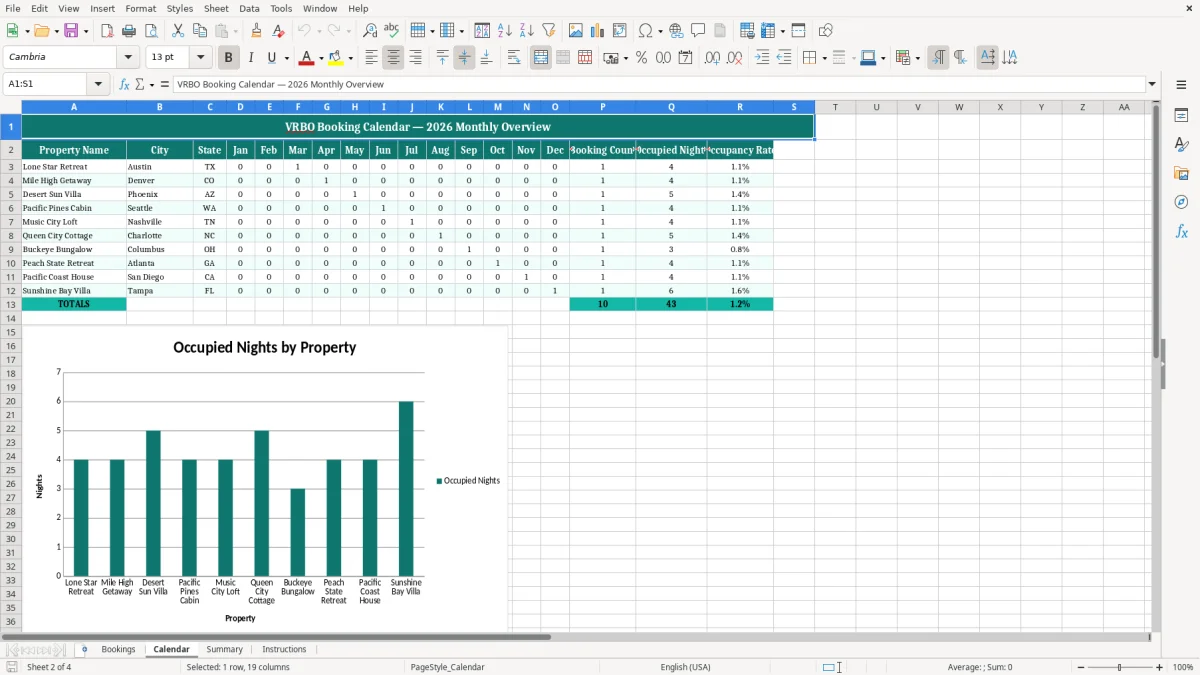
This VRBO booking calendar tracker Excel template keeps your reservations, rates, deposits, and occupancy in one workbook. It includes four tabs: Bookings, Calendar, Summary, and Instructions, so you can log each stay and see the month at a glance.
Use it when you manage a vacation rental, a few short-term units, or a property booked through VRBO and need a clean profit & loss view of what is on the calendar. The workbook is set up for dates, fees, and status tracking, with sample bookings already showing how the fields fit together.
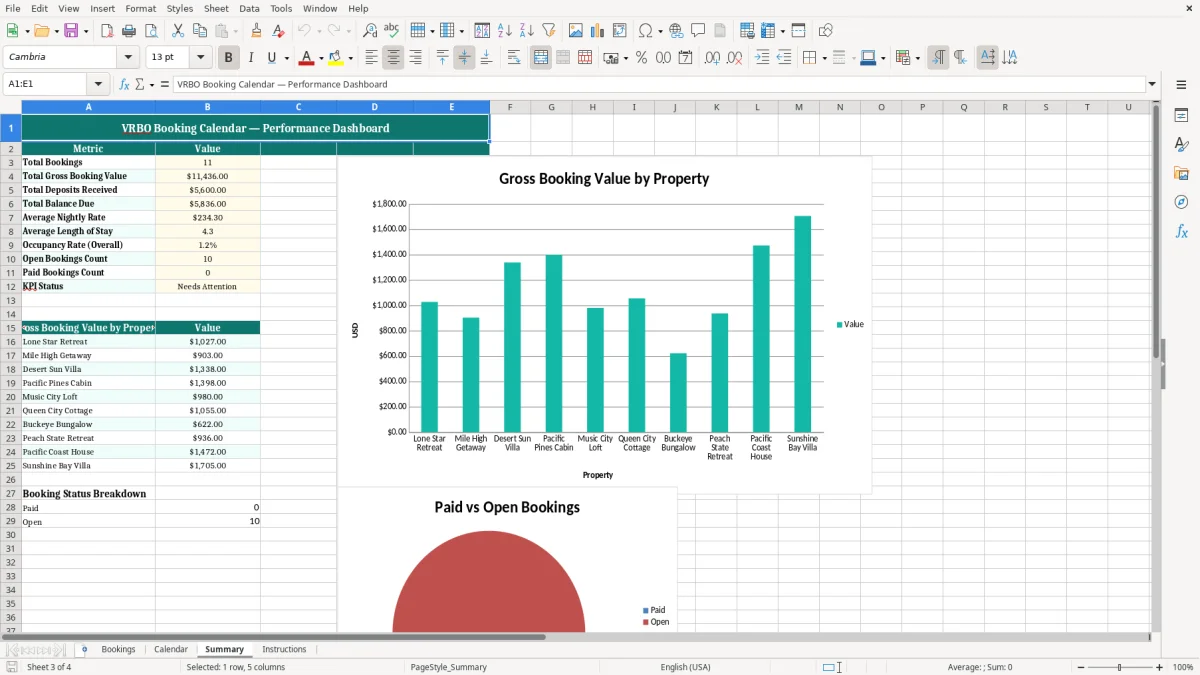
The practical value is simple: you stop guessing about gaps, double-booked nights, and unpaid balances. You can compare booked nights to open nights, then use the totals to support cleaner bookkeeping and faster month-end review.
Key benefits of this Excel template
- Tracks each reservation with a Booking ID, guest name, property, dates, and status in one place.
- Shows booking value in dollars, including nightly rate, cleaning fee, taxes & fees, deposit received, and balance due.
- Helps you see occupancy by month instead of relying on scattered notes or a phone calendar.
- Makes it easier to spot unpaid balances before check-in, which protects cash flow.
- Keeps the calendar and the booking log aligned so you can catch overlapping stays faster.
- Supports cleaner recordkeeping for tax time, especially if you manage several properties or an LLC.
- Gives you a simple working view for a host, co-host, or property manager without adding software overhead.
Step-by-step guide
- Start on the Bookings tab and enter each reservation on its own row. Use the sample data as your guide for dates, nightly rate, fees, and status.
- Review the Calendar tab to see how bookings land across the month. This is the quickest way to catch empty gaps or accidental overlaps.
- Check the Summary tab after you update reservations. Use it to review booked nights, revenue totals, and occupancy patterns.
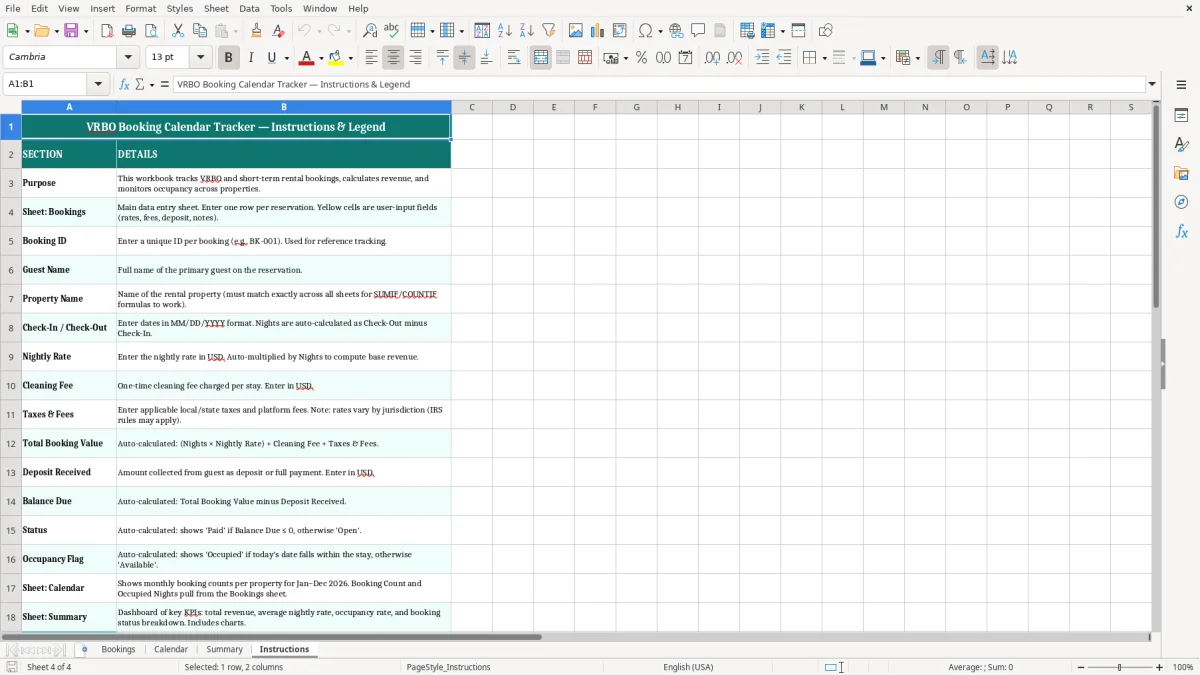
- Keep the Instructions tab open the first time you use the file. It tells you how the workbook is meant to be maintained.
- Update the log right after a new booking, cancellation, or payment. A five-minute update beats reconstructing a weekend from email later.
- Sort or filter the Booking table when you need one property, one city, or one date range. That makes this usable for both a single unit and a small portfolio.
Included features
How VRBO Hosts Use A Booking Calendar Tracker
In practice, this workbook fits the person who is juggling more than one stay at a time: a solo sole proprietor renting one condo, a bookkeeper at an LLC with three cabins, or an office manager handling a weekend-rental portfolio. If you have a Friday turnover, a Sunday check-out, and a Tuesday arrival on another unit, the Bookings tab keeps those dates from turning into a missed handoff.
The Bookings tab is the working list. Image 1 shows the columns for Booking ID, Guest Name, Property Name, City, State, Check-In Date, Check-Out Date, Nights, Booking Source, Nightly Rate, Cleaning Fee, Taxes & Fees, Total Booking Value, Deposit Received, Balance Due, Status, Occupancy Flag, and Notes.
Who Needs It Most
A host with 4 units can use it to compare March occupancy across all properties in one row set. If each unit averages 18 booked nights at $225 a night, you are looking at $16,200 of gross booking value before fees on just one month across four units.
When It Pays Off
It matters most at month-end, when you need to explain open nights, unpaid balances, or why a property sat empty for 6 nights between bookings. It also helps during tax season if you want clean support for rental income and related expenses rather than a pile of screenshots.
Booking Records, Taxes, And The Numbers The IRS Wants
For a short-term rental, you still need clean records for income, fees, and dates because those numbers feed your tax return and your bookkeeping. If the rental activity is reported on Schedule C, you are tracking gross receipts, expenses, and net profit; if it is held through an entity, the bookkeeping still needs the same basic source records.
The IRS expects you to keep records generally for 3 years, and up to 7 years when assets, depreciation, or a bad-debt issue is involved. That means your booking history, payout reports, and payment confirmations are not throwaway files; they are support for your Form 1040 return and any related business records.
Why The Dollar Fields Matter
If you collect a $300 deposit on a $1,200 stay and still have $900 due at check-in, the tracker makes the balance obvious before the guest arrives. That is better than discovering the shortfall after the cleaning crew has already been scheduled and the turnover day is gone.
Cash Flow Beats Guesswork
On a calendar rental, timing matters as much as totals. A host with 20 nights booked at $180 a night but 8 unpaid balances of $120 each is staring at $960 still outstanding, and that is exactly the kind of gap this sheet is meant to surface early.
The Booking Mistakes That Cost Hosts Real Money
The most expensive mistake is usually not the rate itself; it is the date conflict. If two stays overlap by even one night on a $250 nightly rental, you can lose $250 in revenue, plus the headache of refunding one guest, rescheduling cleaners, and explaining the error to the platform.
A second problem is poor payment tracking. If the sheet says a guest owes $700 at arrival and you only discover it after check-in, you have already lost the leverage to collect cleanly, and you may end up eating the unpaid amount or spending time chasing it later.
What Gaps Turn Into
Missing notes cost time. A forgotten cleaner note, pet fee, or late check-out detail can mean a second message thread, a delayed turnover, or an avoidable $50-to-$150 service call when someone shows up unprepared.
Bad Data Breaks Reporting
If you skip standardized dates or leave status fields inconsistent, your occupancy view stops being useful. A calendar that shows 21 booked nights but hides two canceled reservations can distort your monthly occupancy rate by several percentage points, which is enough to throw off pricing decisions for the next season.
How To Keep The Calendar Useful Every Week
The spreadsheet works when you update it on a fixed rhythm. Most hosts do best by entering new bookings immediately after confirmation and checking the calendar once a week, usually after the weekend turnover or before the next cleaning schedule goes out.
Simple Habits That Stick
- Copy the prior month’s workflow so you are not rebuilding the sheet from scratch.
- Use the Bookings tab as the single source of truth, then review the Calendar tab for open dates.
- Check balances due before each check-in so you are not surprised at arrival.
- Keep the Summary tab for monthly review, not daily entry.
If you manage more than a few units, this workbook will eventually be too small for automation, owner reporting, or channel management. At that point, move to a booking system or property-management platform, but keep the spreadsheet as your backup for month-end review and audit support.
Frequently asked questions
The workbook includes four tabs: Bookings, Calendar, Summary, and Instructions. The Bookings tab is for reservation-level detail, the Calendar tab is for visual tracking, and the Summary tab rolls up the totals.
The Bookings tab includes Booking ID, Guest Name, Property Name, City, State, Check-In Date, Check-Out Date, Nights, Booking Source, Nightly Rate, Cleaning Fee, Taxes & Fees, Total Booking Value, Deposit Received, Balance Due, Status, Occupancy Flag, and Notes.
Yes. The sheet is built for multiple properties because it includes Property Name, City, and State. That lets you filter one cabin, one condo, or a whole small portfolio without rebuilding the file.
It gives you organized support for rental income and payment timing, which helps when you prepare your books and file your return. Clean booking records also make it easier to match payout reports to your profit & loss statement.
Those fields show what has been collected and what is still outstanding before check-in. If a $1,000 stay has a $250 deposit, the sheet leaves a clear $750 balance due so you can follow up early.
Move beyond the sheet when you need live channel syncing, automated owner statements, or multi-user access. If you are juggling enough bookings that one missed update can create a double-booking risk, a property-management system is the next step.
Who made this template