Case Tracker Excel – Free Template (2026)
4
Free download
Organize 32 seeded teams, match scores, venues, automatic winners, registration details, and tournament progress in an XLSX workbook.


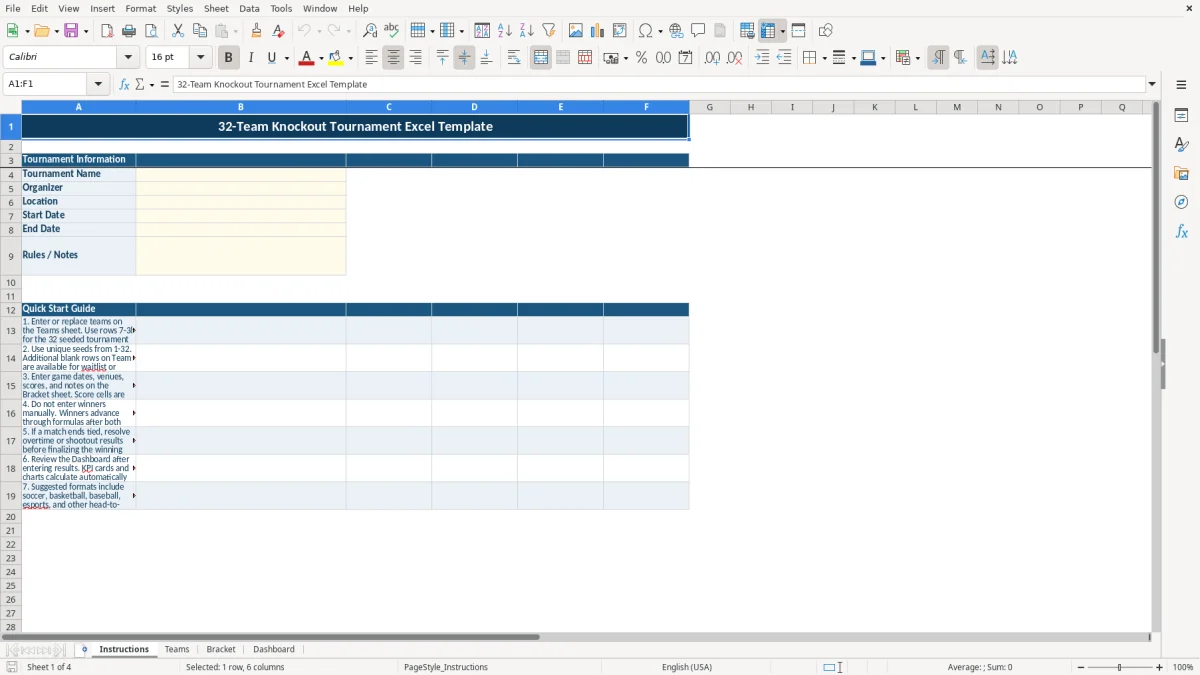
This 32-team knockout tournament Excel template organizes team registration, seeding, match scheduling, scores, winners, and tournament progress in one XLSX workbook. It contains Instructions, Teams, Bracket, and Dashboard tabs for a 32-slot single-elimination competition.
Enter team and event details first, then manage matches from the Bracket sheet. Pale yellow cells identify the main input areas, while formulas move winners forward after both scores are entered.
A tournament director uses this workbook when 32 teams must be seeded, scheduled, and tracked without maintaining separate registration and bracket files. A youth soccer organizer may collect coach contacts and registration fees weeks before opening day, while an esports coordinator may use the same structure for venue, match date, score, and result notes.
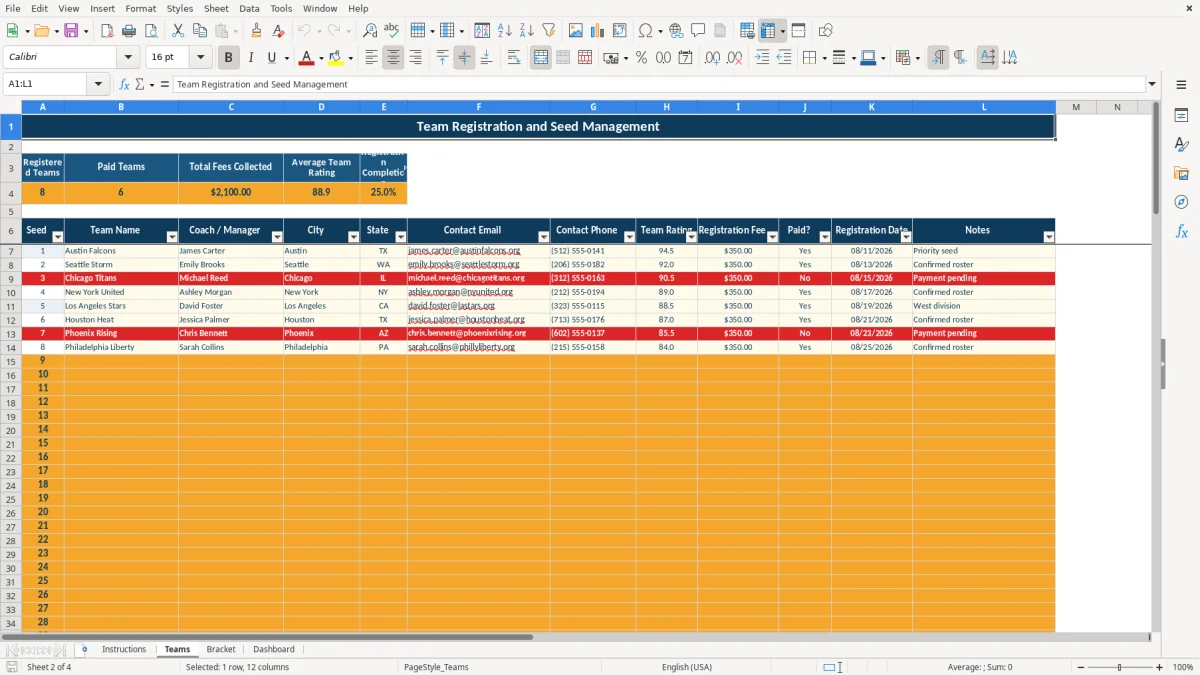
The Teams tab is designed for the registration phase. Rows 7-38 provide the 32 seeded slots, with columns for Team Name, Coach / Manager, City, State, Contact Email, Contact Phone, Team Rating, Registration Fee, Paid?, Registration Date, and Notes. The sample workbook includes a $350 registration fee and a 94.5 team rating, but those are sample values to replace with your own figures.
Use the Instructions tab to record the tournament name, organizer, location, start date, end date, and rules or notes. Then check the Teams summary: Registered Teams counts completed names, Paid Teams counts Yes entries, Total Fees Collected adds paid fees, Average Team Rating summarizes ratings, and Registration Completion measures filled slots against 32.
The Bracket tab contains 31 match records, the number required for a 32-team single-elimination event. An office manager can enter a venue such as Harbor Sports Center, assign a date such as 09/07/2026, record scores, and leave a note such as Opening round final. The Dashboard then provides the operational view without requiring a separate standings calculation.
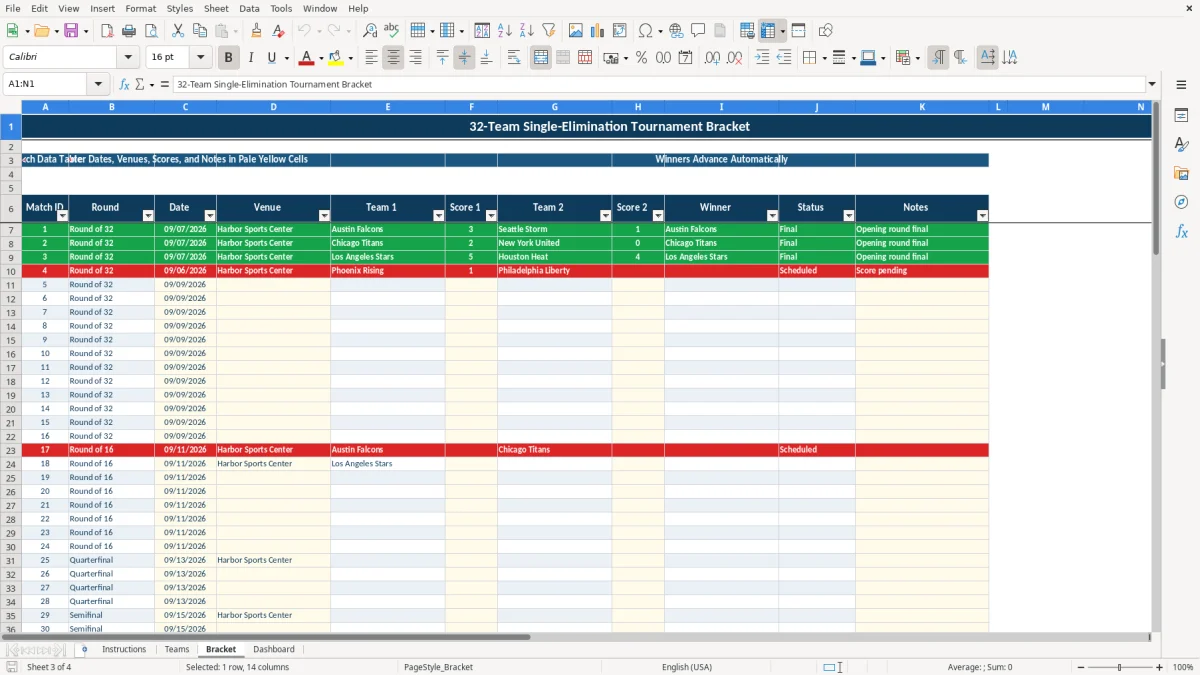
This workbook uses a fixed 32-team single-elimination structure: 32 teams produce 16 opening-round matches, then 8, 4, 2, and 1 championship match, for 31 matches overall. The Bracket sheet links team names to seed numbers from the Teams range and uses formulas to carry completed winners into later rounds.
Enter match information in the visible fields: Match ID, Round, Date, Venue, Team 1, Score 1, Team 2, Score 2, Winner, Status, and Notes. Date validation applies to the match-date cells, while the score fields accept whole numbers from 0 through 999. Pale yellow cells identify the fields intended for entry.
When both score cells contain values, the winner formula compares Score 1 and Score 2. If the first score is higher, Team 1 advances; if the second is higher, Team 2 advances. Equal scores produce TBD, so a tied match must be resolved before it should be treated as final.
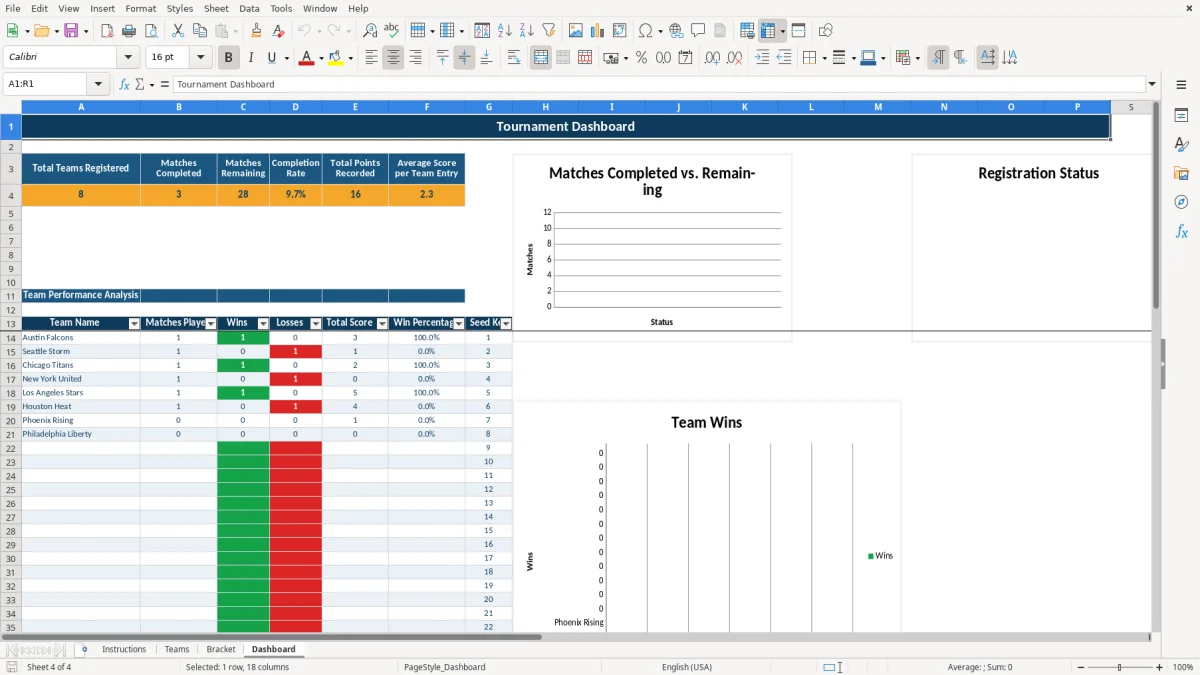
The Dashboard counts registered teams from the Teams sheet and completed matches from Bracket statuses marked Final. It calculates Matches Remaining as 31 minus completed matches, Completion Rate as completed matches divided by 31, Total Points Recorded from both score columns, and Average Score per Team Entry from entered scores.
Its team analysis uses the seed key to show Matches Played, Wins, Losses, Total Score, and Win Percentage. The three charts summarize completed versus remaining matches, registered versus remaining slots, and wins by team; they are based on the calculated dashboard ranges rather than an external data source.
The most damaging error is typing a winner into the Bracket sheet instead of entering both scores. Winner cells are calculated outputs. Manual edits can break the intended progression, while a missing score leaves the match incomplete and prevents a reliable result from moving into the next round.
Seeding errors create a different problem. If two teams share a seed or a seed falls outside 1-32, the lookup formulas cannot reliably connect the registration row to its opening-round position. For example, changing two teams to seed 4 can make the bracket display the wrong participant or leave a matchup blank.
A team name without a coach, email, or phone number may be enough for the bracket to display, but it is not enough for event administration. A missing Paid? value also distorts the Paid Teams count and Total Fees Collected. The workbook distinguishes a filled team name from a completed registration, so review those fields separately.
The template accepts whole-number scores from 0 through 999, which suits many sports but does not encode sport-specific overtime, shootout, inning, or tiebreak rules. A 1-1 soccer score, for example, cannot identify a winner until you enter the resolved result. Record the deciding result in Notes and make the final score reflect the outcome you want the bracket to use.
If you change team names, scores, or payment entries and do not allow Excel to recalculate, the dashboard may still show old results until formulas refresh. Check the Bracket Status column and the Dashboard’s Matches Completed figure together; for a 32-team event, the completed count should never exceed 31.
Make one person responsible for updates during the event and use a fixed review point after every match block. For a schedule containing eight opening-round matches, enter the results in Bracket immediately after officials confirm them rather than waiting until the end of the day.
Keep the Teams tab as the source for participant identity and the Bracket tab as the source for match results. Do not paste team names over calculated winner cells. If a replacement is needed before play begins, update the appropriate seed record and then verify the affected opening-round matchup.
Use the workbook for a defined event rather than as a permanent league database. It has fixed 32-team registration and 31-match bracket ranges, so a larger tournament, round-robin schedule, standings table, or multi-season history requires a different design. Save dated copies of the XLSX file after each event day so you can restore the latest confirmed results if an entry is changed incorrectly.
The bracket is designed for 32 seeded teams. Teams rows 7-38 provide the primary tournament slots, and the Bracket sheet contains 31 match records for a complete single-elimination tournament.
Enter them on the Teams tab. The fields include Seed, Team Name, Coach / Manager, City, State, Contact Email, Contact Phone, Team Rating, Registration Fee, Paid?, Registration Date, and Notes.
No. Enter both scores in the score cells. Formula-driven winner cells compare the scores and advance the winning team. A tied score returns TBD until you resolve the overtime or shootout result.
The Dashboard calculates total teams registered, matches completed, matches remaining, completion rate, total points recorded, and average score per team entry. It also lists matches played, wins, losses, total score, and win percentage by team.
Yes. The Instructions tab identifies soccer, basketball, baseball, esports, and other head-to-head competitions as suggested uses. The workbook accepts whole-number scores from 0 through 999, but sport-specific overtime or tiebreak procedures must be resolved and recorded by the organizer.
Update the appropriate team record and seed before the affected match is played, then verify the Bracket display. Use the additional Teams rows for waitlist or replacement contacts, while keeping tournament seeds within 1-32.